
This is the print version of this page. All content is copyright Indezine.com 2000-2026.
Definitions and resources for terms and techniques used in the world of presentations
See Also:
PowerPoint and Presenting Notes
PowerPoint and Presenting Glossary
Presentations Glossary in alphabetical order:
A |
B |
C |
D |
E |
F |
G |
H |
I |
J |
K |
L |
M |
N |
O |
P |
Q |
R |
S |
T |
U |
V |
W |
X |
Y |
Z
Most of the time, you may work on a single slide in your PowerPoint presentation, but there are times when you want to copy, duplicate, reorder, or even delete a bunch of slides. It’s in scenarios like these that you will encounter PowerPoint’s Slide Sorter view. Although Slide Sorter view does not let you edit individual slide objects, it does let you work with the whole slide itself. Any edits made will influence one or more slides, depending on your selection.
Filed Under:
V
Tagged as: 01-07, Interface and Basics, PowerPoint Tutorials, Views
Comments Off on Views: Slide Sorter View in PowerPoint
A Slide Layout in PowerPoint is the basic structure upon which the slides are created. It is an arrangement of various placeholders. PowerPoint categorizes each slide in a presentation into one of its prescribed Slide Layouts.
Filed Under:
S
Tagged as: 04-07, PowerPoint Tutorials, Slide Master and Slide Layouts, Themes Templates Masters and Layouts
Comments Off on Slide Master and Slide Layouts: Slide Layouts in PowerPoint
Even though both text boxes and text placeholders are basically text containers, they are not one and the same. Text placeholders come as a part of some of the default Slide Layouts, whereas text boxes can be inserted wherever you need them on your PowerPoint slides.
Filed Under:
T
Tagged as: Interface and Basics, PowerPoint Tutorials, Text and Outlines, Text Placeholders

Claudyne Wilder coaches executives, managers, and salespeople on how to deliver presentations that get to the message. Her clients give compelling, passionate presentations. Her company has an ongoing contract to give her Get to the Message: Present with a Purpose workshop at a Fortune 100 Global Pharmaceutical Company. Claudyne brings a unique and invigorating perspective to her work from her years of studying the Argentine Tango. Do visit Claudyne’s site at Wilder Presentations to sign up for her blog, her tweets or to download some free presenting tools.
Here’s a list of links on Indezine.com where she has been featured:
 Add a Story or Example for More Connection
September 24, 2026
 Make A Connection with Your Audience Through Questions
July 24, 2019
 How Will Argentine Tango Skills Make You a Better Presenter?
September 10, 2018
 TorchMetrics: Conversation with Claudyne Wilder
May 16, 2016
 12 Engaging Presenter Behaviors to Keep Your Audience Awake
May 2, 2016
 Keep the Audience Attentive
July 24, 2015
 Cover Everything or Plan Ahead
April 27, 2015
 Give to Audience (Refocus Nerves)
May 21, 2014
 Change The Pace—Keep Your Audience’s Attention
September 12, 2013
 Speak Concisely
May 25, 2013
 Use a Mini Mini-Story to Tell Your Audience About Yourself
March 27, 2013
 Answer the Question Asked
March 8, 2013
 What Do You Add to the Talk?
August 10, 2012
 Show Emotion
June 29, 2012
 Smile and Relax
April 23, 2012
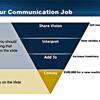 Add Value to Your Slide
January 13, 2012
 Do You Get in Your Own Way?
December 5, 2011
 Reduce Stress and Save Time
February 17, 2012
 10 Tips for Influencing Others
January 30, 2012
 Considerations for Designing PowerPoint Backgrounds
November 14, 2011
 Are You Prepared?
November 2, 2011
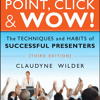 Point, Click & Wow!: Conversation with Claudyne Wilder
December 2, 2008
 Wilder Presentations: Conversation with Claudyne Wilder
June 26, 2007
An Interview with Claudyne Wilder
May 10, 2004
Filed Under:
C
Tagged as: Claudyne Wilder, Personality, PowerPoint
Comments Off on Claudyne Wilder

David Marcovitz is Associate Professor in the Education Department and Director of Graduate Programs in Educational Technology at Loyola College. He received his Ph.D. in Educational Technology from the University of Illinois at Urbana Champaign where he studied support for technology in elementary schools. He has taught computer applications and computer programming at the high school level, and he has worked as a technology specialist in a high school. Prior to coming to Loyola College, he taught in the educational technology program at Florida Atlantic University.
Here’s a list of links on Indezine.com where he has been featured:
 Start a PowerPoint Presentation Without Clicking
June 26, 2005
An Interview with David Marcovitz
September 11, 2004
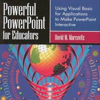 Book Extract: Powerful PowerPoint for Educators
September 4, 2004
Filed Under:
D
Tagged as: MVP, Personality, PowerPoint
Comments Off on David Marcovitz
Microsoft and the Office logo are trademarks or registered trademarks of Microsoft Corporation in the United States and/or other countries.