 February 23rd, 2026
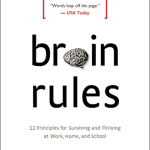
John Medina

See Also:
PowerPoint and Presenting Notes
PowerPoint and Presenting Glossary
 Pictures – Position and Order: Reorder Pictures in PowerPoint
You can do any of the typical positioning tasks in PowerPoint for your pictures such as resizing, aligning, and grouping. In addition, you can also reorder the pictures on your slide. In fact, you can also reorder a bunch of pictures and other slide objects such as shapes quite easily using the various ordering options ...
 Kellie McCord
Kellie McCord is a member of Toastmasters International, a not-for-profit organization that has provided communication and leadership skills since 1924 through a worldwide network of clubs. There are more than 400 clubs and 10,000 members in the UK and Ireland. Here’s a list of links on Indezine.com where she has been featured: How to Improve ...
 Bullets and Numbering: Use Dingbats and Other Characters as Bullets in PowerPoint
PowerPoint provides you with umpteen options to change the appearance of your bullet points. You can change bullet styles, format the bullet size and its color, and use pictures as bullets. In addition, you can use a character from any font, including dingbats as a bullet. So what are dingbats? Dingbats are fonts which contain ...
Microsoft and the Office logo are trademarks or registered trademarks of Microsoft Corporation in the United States and/or other countries.