 October 14th, 2026
Ramgopal M. S.

See Also:
PowerPoint and Presenting Notes
PowerPoint and Presenting Glossary
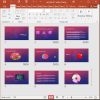 Views: Slide Sorter View in PowerPoint
Most of the time, you may work on a single slide in your PowerPoint presentation, but there are times when you want to copy, duplicate, reorder, or even delete a bunch of slides. It's in scenarios like these that you will encounter PowerPoint's Slide Sorter view. Although Slide Sorter view does not let you edit ...
 Views: Slide Show View in PowerPoint
Have you created all your slides, and now you want to show it in front of an audience? Or you just want to use this slide deck in a webinar, or even see them yourself to understand how they look in full-screen view? In that case, the view that plays your presentation in full screen ...
 Pictures – Position and Order: Reorder Pictures in PowerPoint
You can do any of the typical positioning tasks in PowerPoint for your pictures such as resizing, aligning, and grouping. In addition, you can also reorder the pictures on your slide. In fact, you can also reorder a bunch of pictures and other slide objects such as shapes quite easily using the various ordering options ...
Microsoft and the Office logo are trademarks or registered trademarks of Microsoft Corporation in the United States and/or other countries.