Tag: PowerPoint Tutorials

Presentations Glossary in alphabetical order:
A | B | C | D | E | F | G | H | I | J | K | L | M | N | O | P | Q | R | S | T | U | V | W | X | Y | Z

Browse posts tagged as "PowerPoint Tutorials"

See Also:
PowerPoint and Presenting Notes
PowerPoint and Presenting Glossary

Build your skill with the help of incredible instructors—courses just $10 for Udemy Sale. Last Day!


Using the Pen and Highlighter Tools in PowerPoint Working with Slides: Pen and Highlighter Tools in PowerPoint
December 7th, 2017


Views in PowerPoint Views: Views in PowerPoint
December 7th, 2017


Working with the Ribbon (Reorder and Remove Tabs) in PowerPoint Working with QAT and Ribbons: Reordering and Removing Ribbon Tabs in PowerPoint
December 4th, 2017


Interface & Basics: Live Preview in PowerPoint Interface Overview: Live Preview in PowerPoint
November 9th, 2017


Interface & Basics: Outline View in PowerPoint Views: Outline View in PowerPoint
November 8th, 2017


Quick Access Toolbar in PowerPoint Interface Overview: Quick Access Toolbar in PowerPoint
November 7th, 2017


Interface & Basics: Slides Pane in PowerPoint Interface Overview: Slides Pane in PowerPoint
November 7th, 2017


Interface Overview: Mini Toolbar in PowerPoint
October 30th, 2017


Interface and Basics: Status Bar in PowerPoint Interface Overview: Status Bar in PowerPoint
October 13th, 2017


Interface & Basics: Presentation Gallery in PowerPoint Interface Overview: Presentation Gallery in PowerPoint
October 10th, 2017


Creating PowerPoint Outlines in Microsoft Word Creating Slides: Creating PowerPoint Outlines in Microsoft Word
September 15th, 2017


Add Headers and Footers to Notes and Handout Pages in PowerPoint Headers and Footers: Add Headers and Footers to Notes and Handout Pages in PowerPoint
September 14th, 2017


Add Headers and Footers to Slides in PowerPoint Headers and Footers: Add Headers and Footers to Slides in PowerPoint
September 12th, 2017


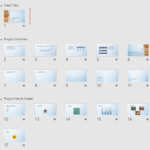
Interface & Basics: Viewing Sections in PowerPoint Sections: Viewing Sections in PowerPoint
September 7th, 2017


Reordering Sections in PowerPoint Sections: Reordering Sections in PowerPoint
August 29th, 2017


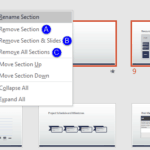
Removing Sections in PowerPoint Sections: Removing Sections in PowerPoint
August 25th, 2017


Moving Slides Between Sections in PowerPoint Sections: Moving Slides Between Sections in PowerPoint
August 25th, 2017


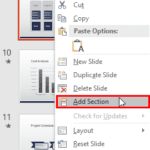
Adding and Renaming Sections in PowerPoint Sections: Adding and Renaming Sections in PowerPoint
August 22nd, 2017


Program Options: Open and Close Options in Backstage View of PowerPoint File Types, File Menu, and Backstage View: Open and Close Tabs of Backstage View in PowerPoint
August 18th, 2017


Media: Animating Slide Objects While Media is Playing in PowerPoint Media in PowerPoint – Advanced: Animating Slide Objects While Media is Playing in PowerPoint
August 17th, 2017


Audio: Format Tab for Audio Clips in PowerPoint Audio in PowerPoint – Advanced: Format Tab for Audio Clips in PowerPoint
August 16th, 2017


Audio: Fade Effect for Audio Clips in PowerPoint Audio in PowerPoint – Advanced: Fade Effect for Audio Clips in PowerPoint
August 14th, 2017


Audio: Trim Audio Clips in PowerPoint Audio in PowerPoint – Advanced: Trim Audio Clips in PowerPoint
August 14th, 2017


Audio: Remove Bookmarks from Audio Clips in PowerPoint Bookmarks in Audio Clips: Remove Bookmarks from Audio Clips in PowerPoint
August 14th, 2017


Program Options: Save and Save As Options in Backstage View of PowerPoint File Types, File Menu, and Backstage View: Save and Save As Tabs of Backstage View in PowerPoint
August 14th, 2017


Page 1 Page 25 Page 26 Page 27 Page 28 Page 29 Page 36


Microsoft and the Office logo are trademarks or registered trademarks of Microsoft Corporation in the United States and/or other countries.

Plagiarism will be detected by Copyscape

© 2000-2025, Geetesh Bajaj - All rights reserved.

since November 02, 2000