
This is the print version of this page. All content is copyright Indezine.com 2000-2026.
Definitions and resources for terms and techniques used in the world of presentations
See Also:
PowerPoint and Presenting Notes
PowerPoint and Presenting Glossary
Presentations Glossary in alphabetical order:
A |
B |
C |
D |
E |
F |
G |
H |
I |
J |
K |
L |
M |
N |
O |
P |
Q |
R |
S |
T |
U |
V |
W |
X |
Y |
Z
When you are working on a PowerPoint presentation, the AutoSave option, if enabled, automatically saves your file at the specified time increments. This way you get to replace your current file with an earlier version. This can be very useful if you want to go back to the state of your slides an hour ago, or even two hours ago without having to use any Undo option.
To learn more, choose your version of PowerPoint. If we do not have a tutorial for your version of PowerPoint, explore the version closest to the one you use.
Restoring Earlier Versions in PowerPoint 2010

Tutorial Code: 16 03 04
Previous: 16 03 03 Recovering New Unsaved Presentations Manually in PowerPoint
Next: 16 04 01 Export a Presentation to a Video Clip in PowerPoint
Filed Under:
M
Tagged as: 16-03, Manage Versions, PowerPoint Tutorials, Share and Prepare
Comments Off on Manage Versions: Restoring Earlier Versions in PowerPoint
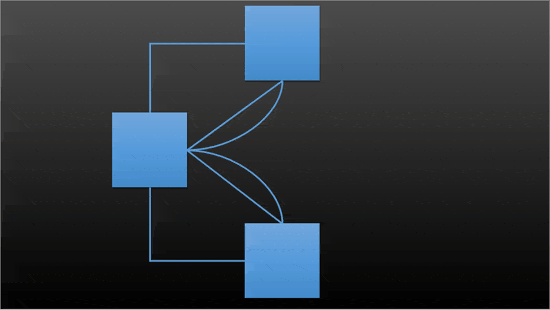
Connectors are essentially some of the shapes found within the Lines category of the Shapes gallery in PowerPoint. To understand why only some of these lines can work as connectors, we first need to understand what a connector is. A connector is a line that creates a link that joins two shapes or any other slide objects to show a relationship. These connectors are linked to the slide objects they are connected—this means that they move automatically when the linked objects are moved.
To learn more, choose your version of PowerPoint. If we do not have a tutorial for your version of PowerPoint, explore the version closest to the one you use.
Smart Connectors in PowerPoint 2013
Smart Connectors in PowerPoint 2010
Smart Connectors in PowerPoint 2011
Tutorial Code: 06 15 01
Previous: 06 14 05 Edit Points: Curved and Straight Line Segments in PowerPoint
Next: 06 15 02 Types of Connectors in PowerPoint
Filed Under:
C
Tagged as: 06-15, Connectors, PowerPoint Tutorials, Shapes
Comments Off on Connectors: Smart Connectors in PowerPoint
A line (outline) in PowerPoint contains both points and segments. It is easy to understand the relationship between points and segments using a connect-the-dots analogy. The points represent the dots whereas the segments represent the lines you draw between the dots.
To learn more, choose your version of PowerPoint. If we do not have a tutorial for your version of PowerPoint, explore the version closest to the one you use.
Edit Points: Curved and Straight Line Segments in PowerPoint 2016
Edit Points: Curved and Straight Line Segments in PowerPoint 2013
Edit Points: Curved and Straight Line Segments in PowerPoint 2010
Edit Points: Curved and Straight Line Segments in PowerPoint 2007
Edit Points: Curved and Straight Line Segments in PowerPoint 2011

Tutorial Code: 06 14 05
Previous: 06 14 04 Edit Points: Open and Close Paths in PowerPoint
Next: 06 15 01 Smart Connectors in PowerPoint
Filed Under:
A
Tagged as: 06-14, Advanced Drawing Techniques, PowerPoint Tutorials, Shapes
Comments Off on Advanced Drawing Techniques: Edit Points: Curved and Straight Line Segments in PowerPoint
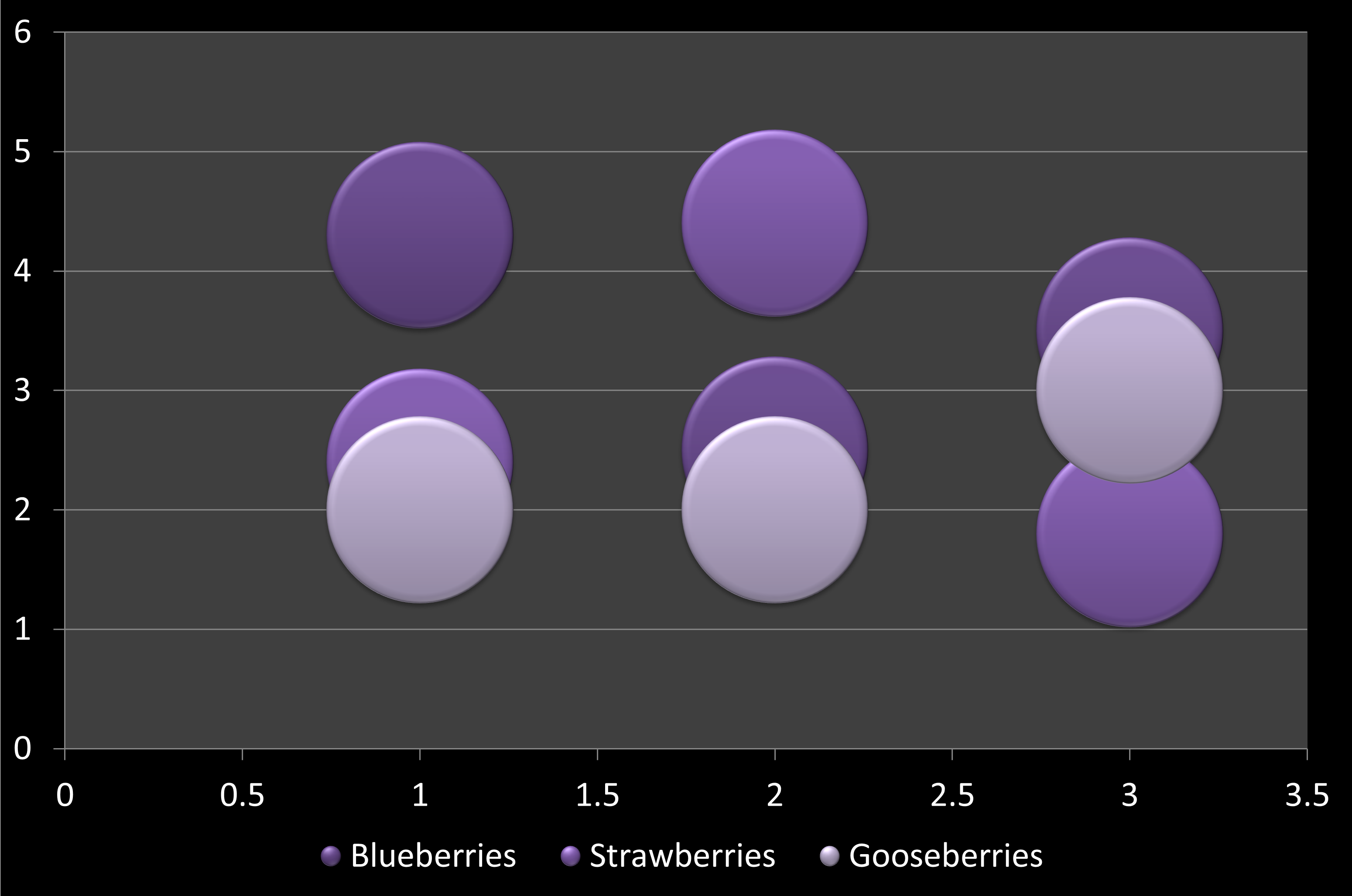
In a bubble chart, data that is arranged in columns on a worksheet can be plotted, so that X values are listed in the first column. The corresponding Y values and bubble size values are listed in adjacent columns of the data. This data can can be collectively plotted in a bubble chart.
To learn more, choose your version of PowerPoint. If we do not have a tutorial for your version of PowerPoint, explore the version closest to the one you use.
Bubble Chart Type in PowerPoint
Tutorial Code: 10 14 11
Previous: 10 14 10 Doughnut (Donut) Charts in PowerPoint
Next: 10 14 12 Radar Charts in PowerPoint
Filed Under:
P
Tagged as: 10-14, Charts and Graphs, PowerPoint Chart Types, PowerPoint Tutorials
Comments Off on PowerPoint Chart Types: Bubble Chart Type in PowerPoint
The Shapes gallery in PowerPoint consists of various shapes, both open and closed. Closed shapes are ones that do not have a “visible” beginning or an end such as the Rectangle, Ellipse, and Triangle shapes. Open shapes have a “visible” beginning and an end. An example of an open shape is a straight point-to-point line.
To learn more, choose your version of PowerPoint. If we do not have a tutorial for your version of PowerPoint, explore the version closest to the one you use.
Edit Points: Open and Close Paths in PowerPoint 2016
Edit Points: Open and Close Paths in PowerPoint 2013
Edit Points: Open and Close Paths in PowerPoint 2010
Edit Points: Open and Close Paths in PowerPoint 2007
Edit Points: Open and Close Paths in PowerPoint 2003
Edit Points: Open and Close Paths in PowerPoint 2011

Tutorial Code: 06 14 04
Previous: 06 14 03 Types of Points (Vertexes) for Shapes in PowerPoint
Next: 06 14 05 Edit Points: Curved and Straight Line Segments in PowerPoint
Filed Under:
A
Tagged as: 06-14, Advanced Drawing Techniques, PowerPoint Tutorials, Shapes
Comments Off on Advanced Drawing Techniques: Open and Close Paths in PowerPoint
Microsoft and the Office logo are trademarks or registered trademarks of Microsoft Corporation in the United States and/or other countries.