
This is the print version of this page. All content is copyright Indezine.com 2000-2026.
Definitions and resources for terms and techniques used in the world of presentations
See Also:
PowerPoint and Presenting Notes
PowerPoint and Presenting Glossary
Presentations Glossary in alphabetical order:
A |
B |
C |
D |
E |
F |
G |
H |
I |
J |
K |
L |
M |
N |
O |
P |
Q |
R |
S |
T |
U |
V |
W |
X |
Y |
Z

Don Brittain is CEO and a founder of Instant Effects, a California company that develops software to visually enhance presentations, communications, and collaboration. Dr. Brittain has designed commercial interactive graphics software for more than two decades, having been VP Research at Wavefront Technologies and one of the principal architects of 3dsmax from Autodesk prior to helping found Instant Effects almost a decade ago.
Here’s a list of links on Indezine.com where he has been featured:
 3D-Hub: Conversation with Don Brittain
February 3, 2012
 Instant Effects Presenter v3.5: Conversation with Don Brittain
February 24, 2009
 An Interview with Don Brittain
August 31, 2006
Filed Under:
D
Tagged as: Personality
Comments Off on Don Brittain
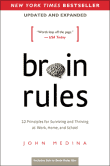
John Medina is a developmental molecular biologist and bestselling author known for translating complex brain science into practical insights. He is the author of Brain Rules and related titles that explore how neuroscience can improve learning, productivity, and workplace performance. Medina has taught at the University of Washington School of Medicine and served as a consultant to educators and business leaders seeking evidence-based approaches to communication and training. With a gift for storytelling, he bridges rigorous research and everyday application, helping audiences understand how attention, memory, emotion, and environment influence how we learn and work.
Here’s a list of links on Indezine.com where he has been featured:
 Do Audiences Recall your Slides?
May 15, 2025
 Presentation Management 02: What’s Wrong with PowerPoint (As If You Didn’t Know Already)
April 12, 2019
 If You’ve Ever Sat Through a Typical PowerPoint Presentation: by John Medina
March 28, 2019
Filed Under:
J
Tagged as: Personality
Comments Off on John Medina
 Connie Malamed is a consultant, author, and speaker in the fields of online learning, visual communication, and information design. She has helped nonprofit, government, and corporate clients transform their content into interactive learning experiences for more than 30 years.
Here’s a list of links on Indezine and similar sites where she has been featured:
 Preconference Workshop Announced: Using Design Thinking to Craft Learning Experiences
January 19, 2018
Visual Design Solutions: Conversation with Connie Malamed
March 7, 2016
Filed Under:
C
Tagged as: Personality
Comments Off on Connie Malamed

Olivia Mitchell has been a Toastmaster, a management development trainer for a major bank, and a political candidate. Now she teaches others how to become more confident and effective presenters – through face-to-face training courses in New Zealand at Effective Speaking and her blog Speaking about Presenting.
Here’s a list of links on Indezine and similar sites where she has been featured:
 PowerPoint Slide Design in 2009: Conversation with Olivia Mitchell
March 13, 2009
Slide Design in 2009: Changes
January 9, 2009
Filed Under:
O
Tagged as: Personality
Comments Off on Olivia Mitchell

Steffen Setzer is Director of Marketing at Canto. Canto is a leading supplier of digital asset management solutions and has been dedicated to helping customers fully utilize their digital assets since 1990. Their Canto Cumulus product is a cross-platform solution that enables companies to easily organize, find, share, and track their ever-increasing numbers of photos, illustrations, presentations, videos, audio layouts, and more.
Here’s a list of links on Indezine.com where he has been featured:
 Canto Cumulus 8: Conversation with Steffen Setzer
August 13, 2009
An Interview with Steffen Setzer
January 7, 2009
Filed Under:
S
Tagged as: Personality
Comments Off on Steffen Setzer
Microsoft and the Office logo are trademarks or registered trademarks of Microsoft Corporation in the United States and/or other countries.