
This is the print version of this page. All content is copyright Indezine.com 2000-2026.
Definitions and resources for terms and techniques used in the world of presentations
See Also:
PowerPoint and Presenting Notes
PowerPoint and Presenting Glossary
Presentations Glossary in alphabetical order:
A |
B |
C |
D |
E |
F |
G |
H |
I |
J |
K |
L |
M |
N |
O |
P |
Q |
R |
S |
T |
U |
V |
W |
X |
Y |
Z
The Edit Points option gives you control over how you want a shape to look, but sometimes you might find it difficult to edit a certain segment in a shape because there are no points available to manipulate. Conversely, there could be far too many points! PowerPoint provides a simple solution for this problem: you can add and delete vertexes from a shape.
To learn more, choose your version of PowerPoint. If we do not have a tutorial for your version of PowerPoint, explore the version closest to the one you use.
Add or Delete Points (Vertexes) for Shapes in PowerPoint 2016
Add or Delete Points (Vertexes) for Shapes in PowerPoint 2013
Add or Delete Points (Vertexes) for Shapes in PowerPoint 2010
Add or Delete Points (Vertexes) for Shapes in PowerPoint 2007
Add or Delete Points (Vertexes) for Shapes in PowerPoint 2003
Add or Delete Points (Vertexes) for Shapes in PowerPoint 2011

Tutorial Code: 06 14 02
Previous: 06 14 01 Edit Points for Shapes in PowerPoint
Next: 06 14 03 Types of Points (Vertexes) for Shapes in PowerPoint
Filed Under:
A
Tagged as: 06-14, Advanced Drawing Techniques, PowerPoint Tutorials, Shapes
Comments Off on Advanced Drawing Techniques: Add or Delete Points (Vertexes) for Shapes in PowerPoint
Adobe Illustrator is a drawing and illustration program from Adobe, the same company that creates other products such as Photoshop, InDesign, Acrobat, etc. Illustrator, since the last few versions includes options to directly export graphics for Microsoft Office applications including PowerPoint.

Here are some Illustrator related pages on Indezine:
 Artlandia SymmetryWorks 5
June 24, 2009
 Artlandia LivePresets
July 28, 2008
 Artlandia SymmetryWorks
January 31, 2007
 Creating Spirographs with Adobe Illustrator
November 23, 2005
 Creating Photoshop Shapes From Illustrator Drawings
November 26, 2004
Comments Off on Adobe Illustrator
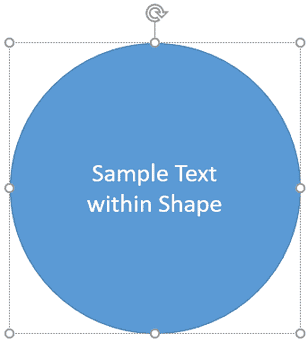
Text is probably the most important element on your PowerPoint slides! You may have heard the adage that a picture is worth a thousand words, but more often than not, that picture needs a caption to be understood better, and even when there are no captions, a narrative is required. And that narrative is text too. Text can be added almost everywhere within PowerPoint slides from placeholders and text boxes to the Notes Pane. Additionally, you can also add and edit text within any shapes except connectors, including straight lines.
To learn more, choose your version of PowerPoint. If we do not have a tutorial for your version of PowerPoint, explore the version closest to the one you use.
Text within Shapes in PowerPoint 2016
Text within Shapes in PowerPoint 2013
Text within Shapes in PowerPoint 2010
Text within Shapes in PowerPoint 2016
Text within Shapes in PowerPoint 2011
Tutorial Code: 06 09 01
Previous: 06 08 01 Creating Curved Shapes in PowerPoint
Next: 06 09 02 Rotate Text 180° Within Shapes in PowerPoint
Filed Under:
T
Tagged as: 06-09, PowerPoint Tutorials, Shapes, Text in Shapes
Comments Off on Text in Shapes: Text Within Shapes in PowerPoint
When you insert any shape into your PowerPoint slide, more often than not you will want to make some changes to the default shape that you end up with. Mainly, you may want to resize and rotate the shape.
This is something we do a lot in our everyday life, like rearranging our work desks, or even changing the position of our favorite chair so that we feel more comfortable. Similarly, all objects on your slide need to be arranged in a way that feels appropriate, rotation is one way of making this change happen.
Filed Under:
B
Tagged as: 06-01, Basics About Shapes, PowerPoint Tutorials, Shapes
Comments Off on Basics About Shapes: Rotate Shapes in PowerPoint
When a shape is inserted into a PowerPoint slide, its default appearance is related to the points that it contains. Alter the points, and you can change the original shape to anything you want. PowerPoint’s native Edit Points tool makes it almost a drawing program that provides you the option to play with vertexes (points), handles, etc. This is very similar to what you would do in Adobe Illustrator, CorelDRAW or another drawing program. By using the Edit Points tool, you can change a rectangle to a rhombus, or even edit a curved or freeform line differently.
To learn more, choose your version of PowerPoint. If we do not have a tutorial for your version of PowerPoint, explore the version closest to the one you use.
Edit Points for Shapes in PowerPoint 2016
Edit Points for Shapes in PowerPoint 2013
Edit Points for Shapes in PowerPoint 2010
Edit Points for Shapes in PowerPoint 2007
Edit Points for Shapes in PowerPoint 2003
Edit Points for Shapes in PowerPoint 2016
Edit Points for Shapes in PowerPoint 2011

Tutorial Code: 06 14 01
Previous: 06 13 04 Drawing Scribble Lines in PowerPoint
Next: 06 14 02 Add or Delete Points (Vertexes) for Shapes in PowerPoint
Filed Under:
A
Tagged as: 06-14, Advanced Drawing Techniques, PowerPoint Tutorials, Shapes
Comments Off on Advanced Drawing Techniques: Edit Points for Shapes in PowerPoint
Microsoft and the Office logo are trademarks or registered trademarks of Microsoft Corporation in the United States and/or other countries.