
This is the print version of this page. All content is copyright Indezine.com 2000-2026.
Definitions and resources for terms and techniques used in the world of presentations
See Also:
PowerPoint and Presenting Notes
PowerPoint and Presenting Glossary
Presentations Glossary in alphabetical order:
A |
B |
C |
D |
E |
F |
G |
H |
I |
J |
K |
L |
M |
N |
O |
P |
Q |
R |
S |
T |
U |
V |
W |
X |
Y |
Z
Luminosity, is one of the three properties described in HSL color model. So what is Luminosity? Luminosity is the value that spans from pure black (darkest) to pure white (lightest).
Filed Under:
C
Tagged as: Color Models, Colors, PowerPoint Tutorials
Comments Off on Color Models: Luminosity in HSL
While computers can easily understand the fact that you mix red and green to end up with yellow, that’s some strange logic to us humans which we shall never comprehend!
How can we stay within the RGB color model, which computers understand, and mix colors more creatively to use a method which we humans can understand? This need for a more creative model gave birth to the HSL (Hue, Saturation, and Luminosity) color model.
Filed Under:
C
Tagged as: Color Models, Colors, PowerPoint Tutorials
Comments Off on Color Models: HSL
While we learned the basics about RGB colors, that constitute portions of Red, Blue, and Green—what we need to know is that there is so much more to learn about them. Did you know that there are two ways in which individual RGB color values are expressed? The most common way is using decimals.
But have you run into color values such as FF0000 or 006699? These six digit values that combine number and alphabet characters are hexadecimals. Now hexadecimals express the same values as decimals—but unlike decimals that need 9 characters to describe the three colors, R, G, and B, hexadecimals need only 6 characters.
Filed Under:
C
Tagged as: 03-03, Color Models, Colors, PowerPoint Tutorials
Comments Off on Color Models: RGB Colors in Decimal and Hexadecimal Values

Art Holden has been in the animation and presentation industry since 1996. He helped start Animation Factory in 1997 and served as general manager of Animation Factory for thirteen years. He currently lives in Sioux Falls, South Dakota, USA and works with PresenterMedia, a media content creating company.
Here’s a list of links on Indezine.com where Art Holden has been featured:
 PresenterMedia Content and More: Conversation with Art Holden
February 16, 2015
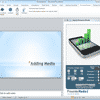 PresenterMedia PowerPoint Add-in: Conversation with Art Holden
August 29, 2012
 PresenterMedia Content: Conversation with Art Holden
March 14, 2012
 PresenterMedia: Conversation with Art Holden
March 17, 2010
 Animation Factory
December 4, 2008
Filed Under:
A
Tagged as: Art Holden, Clip Media, Personality, Presenter Media
Comments Off on Art Holden
The three primary colors of this electronic color model are Red, Blue, and Green, and that explains why this model is called the RGB color model. RGB is essentially an abbreviation for Red Green Blue.
Filed Under:
C
Tagged as: Color Models, Colors, PowerPoint Tutorials
Comments Off on Color Models: RGB
Microsoft and the Office logo are trademarks or registered trademarks of Microsoft Corporation in the United States and/or other countries.