
This is the print version of this page. All content is copyright Indezine.com 2000-2026.
Definitions and resources for terms and techniques used in the world of presentations
See Also:
PowerPoint and Presenting Notes
PowerPoint and Presenting Glossary
Presentations Glossary in alphabetical order:
A |
B |
C |
D |
E |
F |
G |
H |
I |
J |
K |
L |
M |
N |
O |
P |
Q |
R |
S |
T |
U |
V |
W |
X |
Y |
Z
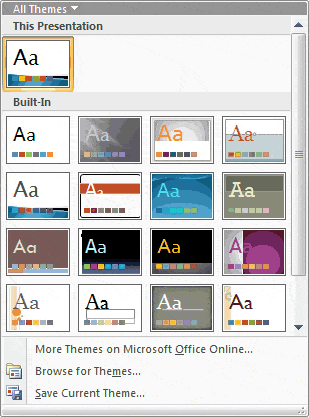
Evolution is an interesting concept because it’s the change that’s natural, logical, and involved. And although Themes (Office Themes) did not exist in their present form before Office 2007 for Windows, they did evolve from the humble PowerPoint template. And as you get deeper into how Themes work, you’ll find that PowerPoint uses these Themes in amazing ways, and shares them with Word and Excel. That’s the reason they are called Office Themes rather than PowerPoint Themes.
Explore for all versions of PowerPoint
Tutorial Code: 04 01 01
Previous: 03 04 01 Cool Colors: Blue
Next: 04 01 02 Where Are the Office Themes and Templates Located?
Filed Under:
T
Tagged as: 04-01, PowerPoint Tutorials, Theme Basics, Themes Templates Masters and Layouts
Comments Off on Theme Basics: The Evolution of Office Themes in PowerPoint
We have assembled variations of the color blue. Explore any of the colors that you want, and then use it within a PowerPoint slide or also within any other program.
Filed Under:
C
Tagged as: 03-04, Colors, Cool Colors, PowerPoint Tutorials
Comments Off on Cool Colors: Blue
Like RGB, where the alphabets stand for color names Red, Green, and Blue, CMYK also has one color name representing each alphabet – in this case, the colors are Cyan, Magenta, Yellow, and Black. Do remember that CMYK has almost no use in a PowerPoint centric world, but you will often come across this terminology while receiving visual content for slides from other sources – so a little knowledge about CMYK can be very helpful.
Filed Under:
C
Tagged as: Color Models, Colors, PowerPoint Tutorials
Comments Off on Color Models: CMYK
Colors can be darker or lighter: and this in color terms is called Luminosity. Color can also be saturated (vibrant) or desaturated (neutralized). Desaturation can be done to a lesser extent or more, and when it happens to the maximum extent possible, that’s the same as completely neutralizing the color altogether. Think about converting a colored picture to grayscale and you will understand what may be happening! This property of color is called Saturation.
Now beyond Luminosity and Saturation lies the Hue of color. You can have a blue that’s dark or light, and even vibrant or neutralized. But you can also have a green, a red, an orange, a yellow, or any other color with those same attributes. This red, green, yellow, or blue property is nothing else but the Hue of the color.
Filed Under:
C
Tagged as: Color Models, Colors, PowerPoint Tut
Comments Off on Color Models: Hue in HSL
Color is a fascinating subject; a subject that evokes enough creativity and pickles the minds of many. If we were to pause looking at color as a creative subject for just a brief amount of time, we would be able to explore it from a different perspective, the perspective of science! This color science will open new avenues for us to understand why colors behave in certain ways.
Filed Under:
C
Tagged as: Color Models, Colors, PowerPoint Tutorials
Comments Off on Color Models: Saturation in HSL
Microsoft and the Office logo are trademarks or registered trademarks of Microsoft Corporation in the United States and/or other countries.