Monthly Archives: April 2020

Browse posts released in April 2020. See all archives.

See Also:
PowerPoint and Presenting Notes
PowerPoint and Presenting Glossary


Flowchart Symbols: What they Represent? April 26th, 2020
Basics Flowchart Techniques: Flowchart Symbols – What they Represent?


Add-ins: Indezine Add-ins April 25th, 2020
Add-ins: Indezine Add-ins


Basic Flowcharts in PowerPoint April 23rd, 2020
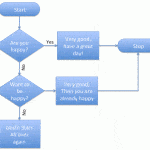
Basics Flowchart Techniques: Basic Flowcharts in Microsoft Office


Getting Started With Flowcharts April 23rd, 2020
Basics Flowchart Techniques: Getting Started with Flowcharts in PowerPoint


Fake Animate Tables in PowerPoint April 14th, 2020
Animate Slide Objects: Fake-Animate Tables in PowerPoint


Animate Ungrouped Tables in PowerPoint April 14th, 2020
Animate Slide Objects: Animate Ungrouped Tables in PowerPoint


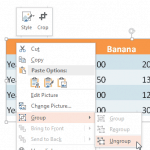
Ungroup a Table in PowerPoint April 14th, 2020
Advanced Table Techniques: Ungroup a Table


Set Line Style for Table Borders in PowerPoint April 13th, 2020
Table Borders: Set Line Style for Table Borders


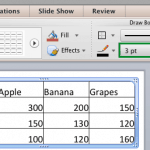
Set Line Weight for Table Borders in PowerPoint April 13th, 2020
Table Borders: Set Line Weight for Table Borders


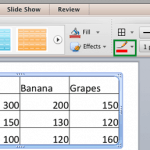
Set Color for Table Borders in PowerPoint April 13th, 2020
Table Borders: Set Color for Table Borders


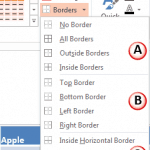
Toggle Visibility of Table Borders in PowerPoint April 13th, 2020
Table Borders: Toggle Visibility of Table Borders


Erase Table Borders in PowerPoint April 13th, 2020
Table Borders: Erase Table Borders


Merge and Split Table Cells in PowerPoint April 11th, 2020
Table Cells: Merge and Split Table Cells


Table Style Options in PowerPoint April 11th, 2020
Table Cells: Table Style Options


Text Alignment within Table Cells in PowerPoint April 11th, 2020
Table Cells: Text Alignment within Table Cells


Richard Goring April 10th, 2020
Richard Goring


Select Table Cells, Rows, and Columns in PowerPoint April 6th, 2020
Table Cells: Select Table Cells, Rows, and Columns


Distribute Table Rows and Columns in PowerPoint April 6th, 2020
Table Cells: Distribute Table Rows and Columns


Add and Remove Table Rows/Columns in PowerPoint April 6th, 2020
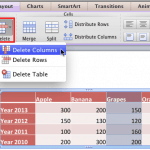
Table Cells: Add and Remove Table Rows and Columns


Import Word Table Content April 6th, 2020
Import Tables: Import Word Table Content


Import Excel Content as Tables in PowerPoint April 5th, 2020
Import Tables: Import Excel Content as Tables in PowerPoint


Fills and Effects for Tables April 5th, 2020
Table Basics: Fills and Effects for Tables


Draw Tables in PowerPoint April 5th, 2020
Table Basics: Draw Tables in PowerPoint


Table Styles in PowerPoint April 4th, 2020
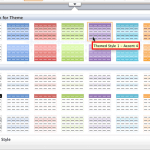
Table Basics: Table Styles in PowerPoint


Populate Tables with Content in PowerPoint April 4th, 2020
Table Basics: Populate Tables with Content in PowerPoint


Popular Posts

Should Charts be Animated? Ten Tips for Cool PowerPoint Charts: PowerPoint Chart Tips 08: Should Charts be Animated?

Charts are something that are often shared between Excel and PowerPoint. While Excel gurus may look down at PowerPoint as far as charting is concerned, there indeed is one charting feature that is not doable as well in Excel, and that is animating charts. OK, an Excel guru somewhere may have said that it’s great ...


Repair PowerPoint File Associations PowerPoint File Issues: Repair File Associations

So, you’re absolutely sure PowerPoint is sitting nicely on your computer… but then you double-click a PowerPoint file and — ta-da! Instead of opening in PowerPoint like a well-trained puppy, it either refuses to open or jumps into some other random program you didn’t invite to the party. To learn more, choose your version of ...


Toggle Visibility of Table Borders in PowerPoint Table Borders: Toggle Visibility of Table Borders

While PowerPoint allows you to create tables in various ways, from inserting them with a pre-decided number of rows and columns to something as intuitive as actually drawing your own table, most of the tables you create using either of these two methods will show borders between individual cells. These borders are great and they ...


Page 1 Page 2


Microsoft and the Office logo are trademarks or registered trademarks of Microsoft Corporation in the United States and/or other countries.
Plagiarism will be detected by Copyscape

© 2000-2025, Geetesh Bajaj - All rights reserved.

since November 02, 2000