October 30th, 2018
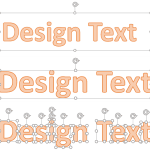
WordArt (incl. Text Fills, Lines, and Effects): Text Fills in PowerPoint

See Also:
PowerPoint and Presenting Notes
PowerPoint and Presenting Glossary
 October 12th, 2018
 Basics About Shapes: Types of Shapes in PowerPoint
Shapes play a significant role within any slides you create for your PowerPoint presentation. In many ways, shapes are like the building blocks of almost anything you do on your PowerPoint slides. PowerPoint provides hundreds of shapes efficiently categorized into 9 types or categories. You can do so much with these shapes. For example, you ...
 Advanced Animation Concepts: Control Animation Timings using the Advanced Timeline in PowerPoint
The main advantage of the Advanced Timeline in PowerPoint is to edit the timing and sequencing of your animations. You can easily control the start time, duration, and end time of your animation to the most minute level. In addition, you can also animate any slide object very slowly to span over a whole minute ...
 Interface Overview: Interface in PowerPoint
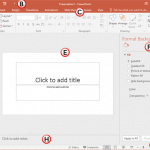
The Presentation Gallery provides several ways to start your next presentation using a template, a Theme, a recent presentation, a not-so-recent presentation, or even a blank presentation. Once you make choices in this Presentation Gallery, you see the actual PowerPoint interface. To learn more, choose your version of PowerPoint. If we do not have a ...
Microsoft and the Office logo are trademarks or registered trademarks of Microsoft Corporation in the United States and/or other countries.