This is the print version of this page. All content is copyright Indezine.com 2000-2026.
Definitions and resources for terms and techniques used in the world of presentations
See Also:
PowerPoint and Presenting Notes
PowerPoint and Presenting Glossary
Presentations Glossary in alphabetical order:
A |
B |
C |
D |
E |
F |
G |
H |
I |
J |
K |
L |
M |
N |
O |
P |
Q |
R |
S |
T |
U |
V |
W |
X |
Y |
Z
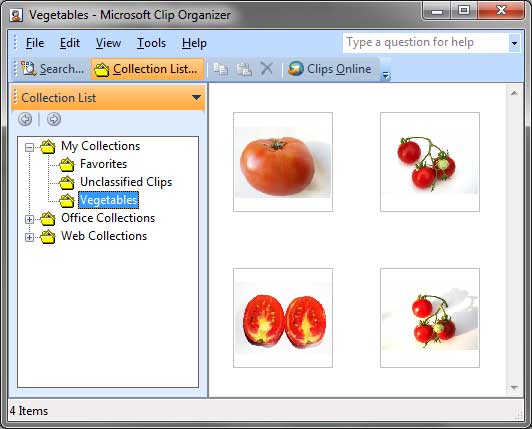
Although it is easy to insert pictures from the Clip Art task pane, it is still a good idea to save the pictures you use locally so that you can use them anytime you want. This is important because the same picture may not show up again in the future since nowadays the pictures you retrieve via a search are those that are on web sites, and they use Bing’s search technology. Such searches are dynamic, and results can vary, even after a few hours! So it is important that you save a picture you want to use often locally, in case you want to use it in the future.
To learn more, choose your version of PowerPoint. If we do not have a tutorial for your version of PowerPoint, explore the version closest to the one you use.
Adding Clips to the Clip Organizer in PowerPoint 2010
Tutorial Code: 09 01 11
Previous: 09 01 10 Understanding Clip Art Search Results in PowerPoint
Next: 09 01 12 Inserting Screenshots in PowerPoint
Filed Under:
P
Tagged as: 09-01, Pictures and Visuals, Pictures Basics and Adjustments, PowerPoint Tutorials
Comments Off on Pictures Basics and Adjustments: Adding Clips to the Clip Organizer in PowerPoint
In our previous tutorial we showed you how you can insert pictures from the Clip Art Task Pane. In this tutorial, we’ll explore Clip Art search results.
To learn more, choose your version of PowerPoint. If we do not have a tutorial for your version of PowerPoint, explore the version closest to the one you use.
Understanding Clip Art Search Results in PowerPoint 2010

Tutorial Code: 09 01 10
Previous: 09 01 09 Insert Pictures From the Clip Art Pane in PowerPoint
Next: 09 01 11 Adding Clips to the Clip Organizer in PowerPoint
Filed Under:
P
Tagged as: 09-01, Pictures and Visuals, Pictures Basics and Adjustments, PowerPoint Tutorials
Comments Off on Pictures Basics and Adjustments: Understanding Clip Art Search Results in PowerPoint
If you already have pictures that you want to add to your slides, you can just insert them quite easily. However, many times we just have an idea of the type of picture we want to insert, but we still do not have the actual pictures! And that’s when PowerPoint’s Clip Art task pane can help you. Not only does it allow you to search and insert pictures and illustrations, but it also provides videos and sounds. All of these can easily be inserted into your presentation.
To learn more, choose your version of PowerPoint. If we do not have a tutorial for your version of PowerPoint, explore the version closest to the one you use.
Insert Pictures From the Clip Art Pane in PowerPoint 2010
Tutorial Code: 09 01 09
Previous: 09 01 08 Insert Pictures from Facebook in PowerPoint
Next: 09 01 10 Understanding Clip Art Search Results in PowerPoint
Filed Under:
P
Tagged as: 09-01, Pictures and Visuals, Pictures Basics and Adjustments, PowerPoint Tutorials
Comments Off on Pictures Basics and Adjustments: Insert Pictures From the Clip Art Pane in PowerPoint
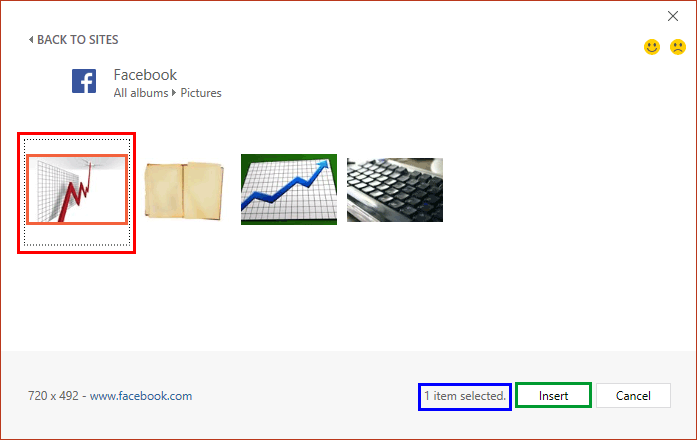
PowerPoint enables you to insert online pictures in more than one way, and explored these various options in our Insert Online Pictures in PowerPoint tutorial.
To learn more, choose your version of PowerPoint. If we do not have a tutorial for your version of PowerPoint, explore the version closest to the one you use.
Insert Pictures from Facebook in PowerPoint 2016
Insert Pictures from Facebook in PowerPoint 2013
Tutorial Code: 09 01 08
Previous: 09 01 07 Insert Pictures from OneDrive in PowerPoint
Next: 09 01 09 Insert Pictures From the Clip Art Pane in PowerPoint
Filed Under:
P
Tagged as: 09-01, Pictures and Visuals, Pictures Basics and Adjustments, PowerPoint Tutorials
Comments Off on Pictures Basics and Adjustments: Insert Pictures from Facebook in PowerPoint
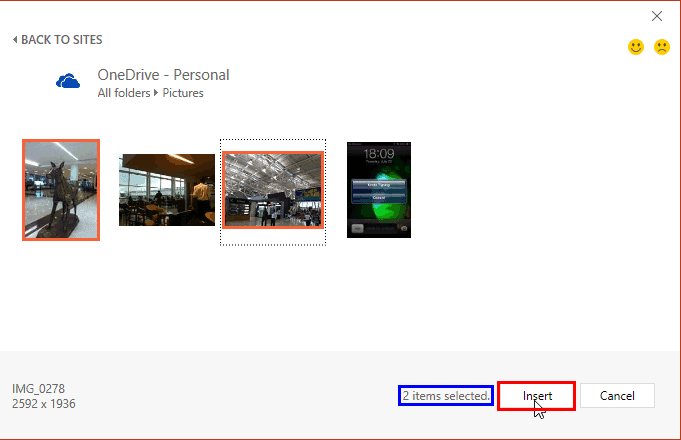
Our next option within the Insert Online Pictures in PowerPoint series of tutorials is exploring how you can insert pictures from your OneDrive account. Note that you must have some pictures already uploaded to your OneDrive folders for working with this tutorial. Luckily with OneDrive’s camera upload options for all phone platforms, most of us possibly already have tons of pictures in our OneDrive folders.
To learn more, choose your version of PowerPoint. If we do not have a tutorial for your version of PowerPoint, explore the version closest to the one you use.
Insert Pictures from OneDrive in PowerPoint 2016
Insert Pictures from OneDrive in PowerPoint 2013
Tutorial Code: 09 01 07
Previous: 09 01 06 Insert Pictures from Flickr in PowerPoint
Next: 09 01 08 Insert Pictures from Facebook in PowerPoint
Filed Under:
P
Tagged as: 09-01, Pictures and Visuals, Pictures Basics and Adjustments, PowerPoint Tutorials
Comments Off on Pictures Basics and Adjustments: Insert Pictures from OneDrive in PowerPoint
Microsoft and the Office logo are trademarks or registered trademarks of Microsoft Corporation in the United States and/or other countries.