
This is the print version of this page. All content is copyright Indezine.com 2000-2026.
Definitions and resources for terms and techniques used in the world of presentations
See Also:
PowerPoint and Presenting Notes
PowerPoint and Presenting Glossary
Presentations Glossary in alphabetical order:
A |
B |
C |
D |
E |
F |
G |
H |
I |
J |
K |
L |
M |
N |
O |
P |
Q |
R |
S |
T |
U |
V |
W |
X |
Y |
Z
For almost every search term that you input on Bing’s Image Search, you get results with tons of pictures scoured from every nook and corner of the internet. With so many choices, finding that perfect picture can become a challenge, especially when you need a picture that’s more akin to an illustration rather than a camera-clicked photograph. Similarly you may want to explore pictures that look like clipart.
To learn more, click the link below.
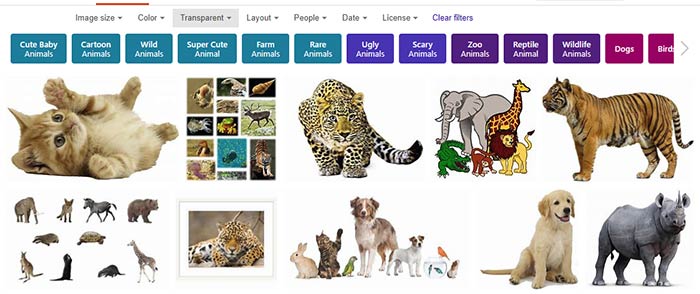
Tutorial Code: 09 12 04
Previous: 09 12 03 Bing Images Search by Color
Next: 09 12 05 Bing Images Search by Layout
Filed Under:
B
Tagged as: 09-12, Bing Image Search, Pictures and Visuals, PowerPoint Tutorials
Comments Off on Bing Image Search: Bing Images Search by Type
Color as a solid swatch may be an absolute value such as red, blue, green, yellow, etc. but to take a picture and then decide a color for that picture is an objective task! Can you just allot one color for a picture of a garden that shows a blue sky, green meadows, and multi-colored flowers? Probably not. Or maybe, you can just choose green as a dominant color in that case! Whatever choice you make, there will be times when you need a picture that has a predominant red value or a primary grey value, or a foremost value of some other color. Fortunately, Bing’s Image Search has some great filters that let you percolate your search results to any color!
To learn more, click the link below.

Tutorial Code: 09 12 03
Previous: 09 12 02 Bing Image Search by Size
Next: 09 12 04 Bing Images Search by Type
Filed Under:
B
Tagged as: 09-12, Bing Image Search, Pictures and Visuals, PowerPoint Tutorials
Comments Off on Bing Image Search: Bing Images Search by Color
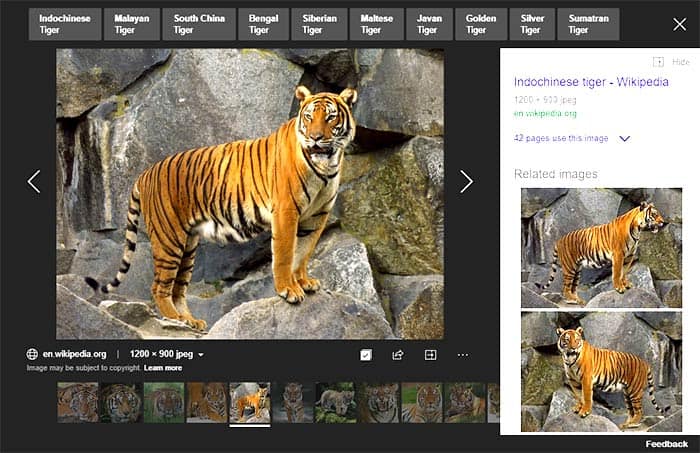
This page is part of our Bing Image Search series. When you search for pictures on Bing’s Image Search site, the results page provides various filters to fine-tune and narrow down your results. Bing’s Image Search by Image Size filters allow you to search pictures of various resolutions. Essentially, there are six size options, and the descriptions mentioned below for these options are not set in stone.
To learn more, click the link below.
Tutorial Code: 09 12 02
Previous: 09 12 01 Bing Image Search
Next: 09 12 03 Bing Images Search by Color
Filed Under:
B
Tagged as: 09-12, Bing Image Search, Pictures and Visuals, PowerPoint Tutorials
Comments Off on Bing Image Search: Bing Image Search by Size
While Google may have the largest and most up-to-date search index, other search providers like Microsoft’s Bing need to up the ante by providing more usability options so that visitors can get more optimum and narrowed-down results. And that’s exactly what Microsoft seems to have done with Bing’s Image Search options. Everything is streamlined and you can filter and sort results with so much dexterity; it’s almost like you are sorting numbers in Excel, but just that this is also so much more visual!
To learn more, click the link below.

Tutorial Code: 09 12 01
Previous: 09 11 08 Alternatives for Office Clip Art Gallery
Next: 09 12 02 Bing Image Search by Size
Filed Under:
B
Tagged as: 09-12, Bing Image Search, Pictures and Visuals, PowerPoint Tutorials
Comments Off on Bing Image Search: Bing Image Search
Public Domain pictures or anything within the public domain is content that you can freely use, and as the words indicate they belong to all mankind. But that’s just the simple, plain English description. There are certainly some other nuances of Public Domain content that you must be aware of, and it is also a great idea to attribute any Public Domain content you use.
To learn more, click the link below.

Tutorial Code: 09 11 07
Previous: 09 11 06 Google Image Source Search In Depth
Next: 09 11 08 Alternatives for Office Clip Art Gallery
Filed Under:
P
Tagged as: 09-11, Picture Basics, Pictures and Visuals, PowerPoint Tutorials
Comments Off on Picture Basics: Public Domain Pictures
Microsoft and the Office logo are trademarks or registered trademarks of Microsoft Corporation in the United States and/or other countries.