
This is the print version of this page. All content is copyright Indezine.com 2000-2026.
Definitions and resources for terms and techniques used in the world of presentations
See Also:
PowerPoint and Presenting Notes
PowerPoint and Presenting Glossary
Presentations Glossary in alphabetical order:
A |
B |
C |
D |
E |
F |
G |
H |
I |
J |
K |
L |
M |
N |
O |
P |
Q |
R |
S |
T |
U |
V |
W |
X |
Y |
Z
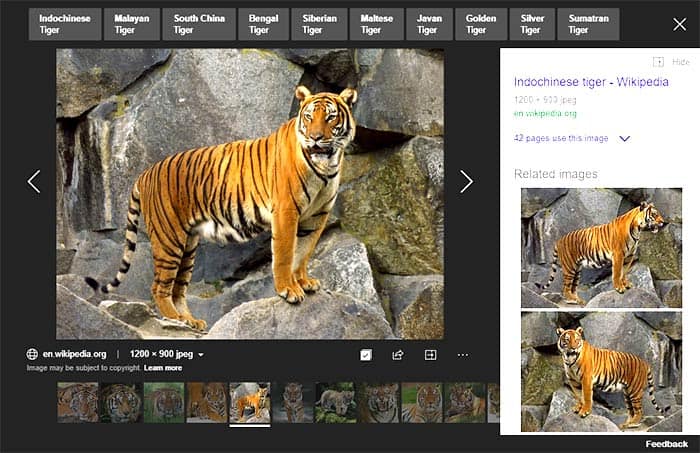
Color as a solid swatch may be an absolute value such as red, blue, green, yellow, etc. but to take a picture and then decide a color for that picture is an objective task! Can you just allot one color for a picture of a garden that shows a blue sky, green meadows, and multi-colored flowers? Probably not. Or maybe, you can just choose green as a dominant color in that case! Whatever choice you make, there will be times when you need a picture that has a predominant red value or a primary grey value, or a foremost value of some other color. Fortunately, Bing’s Image Search has some great filters that let you percolate your search results to any color!
To learn more, click the link below.

Tutorial Code: 09 12 03
Previous: 09 12 02 Bing Image Search by Size
Next: 09 12 04 Bing Images Search by Type
Filed Under:
B
Tagged as: 09-12, Bing Image Search, Pictures and Visuals, PowerPoint Tutorials
Comments Off on Bing Image Search: Bing Images Search by Color
This page is part of our Bing Image Search series. When you search for pictures on Bing’s Image Search site, the results page provides various filters to fine-tune and narrow down your results. Bing’s Image Search by Image Size filters allow you to search pictures of various resolutions. Essentially, there are six size options, and the descriptions mentioned below for these options are not set in stone.
To learn more, click the link below.
Tutorial Code: 09 12 02
Previous: 09 12 01 Bing Image Search
Next: 09 12 03 Bing Images Search by Color
Filed Under:
B
Tagged as: 09-12, Bing Image Search, Pictures and Visuals, PowerPoint Tutorials
Comments Off on Bing Image Search: Bing Image Search by Size
While Google may have the largest and most up-to-date search index, other search providers like Microsoft’s Bing need to up the ante by providing more usability options so that visitors can get more optimum and narrowed-down results. And that’s exactly what Microsoft seems to have done with Bing’s Image Search options. Everything is streamlined and you can filter and sort results with so much dexterity; it’s almost like you are sorting numbers in Excel, but just that this is also so much more visual!
To learn more, click the link below.

Tutorial Code: 09 12 01
Previous: 09 11 08 Alternatives for Office Clip Art Gallery
Next: 09 12 02 Bing Image Search by Size
Filed Under:
B
Tagged as: 09-12, Bing Image Search, Pictures and Visuals, PowerPoint Tutorials
Comments Off on Bing Image Search: Bing Image Search
Public Domain pictures or anything within the public domain is content that you can freely use, and as the words indicate they belong to all mankind. But that’s just the simple, plain English description. There are certainly some other nuances of Public Domain content that you must be aware of, and it is also a great idea to attribute any Public Domain content you use.
To learn more, click the link below.

Tutorial Code: 09 11 07
Previous: 09 11 06 Google Image Source Search In Depth
Next: 09 11 08 Alternatives for Office Clip Art Gallery
Filed Under:
P
Tagged as: 09-11, Picture Basics, Pictures and Visuals, PowerPoint Tutorials
Comments Off on Picture Basics: Public Domain Pictures

Marcella Cheng never knew what was possible in PowerPoint until she worked at Synapsis Creative, and is now an enthusiastic advocate of quite possibly the most versatile and powerful design programs she’s ever used. She loves working on presentations and interactive projects the most and is a sucker for good stories and great visuals.
Here’s a list of links on Indezine.com where she has been featured:
 Someone’s Sabotaged Santa’s Sleigh 2: Conversation with Tom Howell
December 21, 2020
Filed Under:
M
Tagged as: Personality
Comments Off on Marcella Cheng
Microsoft and the Office logo are trademarks or registered trademarks of Microsoft Corporation in the United States and/or other countries.