
This is the print version of this page. All content is copyright Indezine.com 2000-2026.
Definitions and resources for terms and techniques used in the world of presentations
See Also:
PowerPoint and Presenting Notes
PowerPoint and Presenting Glossary
Presentations Glossary in alphabetical order:
A |
B |
C |
D |
E |
F |
G |
H |
I |
J |
K |
L |
M |
N |
O |
P |
Q |
R |
S |
T |
U |
V |
W |
X |
Y |
Z
When you insert a picture on your PowerPoint slide, you may want to make some changes to the picture. For example, you may want to change its size, color, adjust its saturation, or apply some styles to it.
To learn more, choose your version of PowerPoint. If we do not have a tutorial for your version of PowerPoint, explore the version closest to the one you use.
Adjust Picture Options in PowerPoint 2016
Adjust Picture Options in PowerPoint 2013
Adjust Picture Options in PowerPoint 2010
Adjust Picture Options in PowerPoint 2011
Tutorial Code: 09 01 14
Previous: 09 01 13 Recolor Picture Backgrounds in PowerPoint
Next: 09 01 15 Picture Corrections in PowerPoint
Filed Under:
P
Tagged as: 09-01, Pictures and Visuals, Pictures Basics and Adjustments, PowerPoint Tutorials
Comments Off on Pictures Basics and Adjustments: Adjust Picture Options in PowerPoint
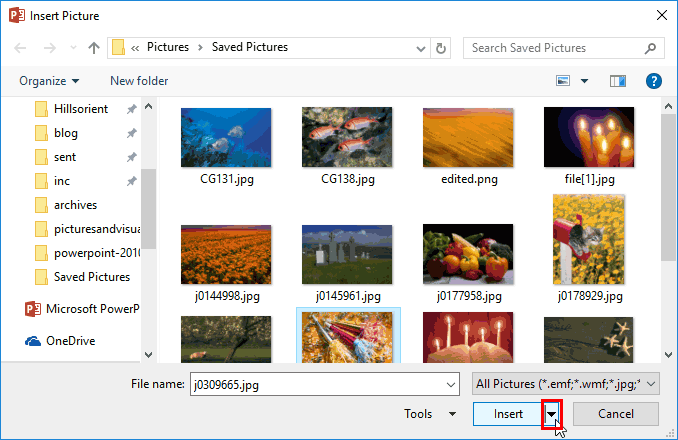
Inserting a picture on a PowerPoint slide is a frequent and commonplace task, and to you, this may look like a simple activity. But this simple task includes few options. You know that pictures located in any of your folders can be inserted on a slide. However, do you know that you can link to a picture, rather than inserting it as part of the presentation itself?
To learn more, choose your version of PowerPoint. If we do not have a tutorial for your version of PowerPoint, explore the version closest to the one you use.
Insert or Link Pictures in PowerPoint 2016
Insert or Link Pictures in PowerPoint 2013
Insert or Link Pictures in PowerPoint 2010
Insert or Link Pictures in PowerPoint 2016
Insert or Link Pictures in PowerPoint 2011
Tutorial Code: 09 01 02
Previous: 09 01 01 Insert Pictures in PowerPoint
Next: 09 01 03 Insert Online Pictures in PowerPoint
Filed Under:
P
Tagged as: 09-01, Pictures and Visuals, Pictures Basics and Adjustments, PowerPoint Tutorials
Comments Off on Pictures Basics and Adjustments: Insert or Link Pictures in PowerPoint

Dr. Nick Morgan is one of America’s top communication theorists and coaches. A passionate teacher, he is committed to helping people find clarity in their thinking and ideas – and then delivering them with panache. He has been commissioned by Fortune 50 companies to write for many CEOs and presidents.
He has coached people to give Congressional testimony, to appear on the Today Show, and to take on the investment community. He has worked widely with political and educational leaders. And he has himself spoken, led conferences, and moderated panels at venues around the world. He founded his own communications consulting organization, Public Words, in 1997.
Here’s a list of links on Indezine.com where he has been featured:
 Can You Hear Me?: Conversation with Nick Morgan
May 10, 2019
 Presentation Summit 2017: Conversation with Nick Morgan
August 7, 2017
 Power Cues: Conversation with Nick Morgan
May 09, 2014
 Book Review: How to Give a Great Presentation by Nick Morgan
December 1, 2011
 Nick Morgan at the Presentation Summit 2011
November 4, 2011
Public Words: Conversation with Nick Morgan
April 13, 2011
Filed Under:
N
Tagged as: Personality
Comments Off on Nick Morgan
The biggest changes in Microsoft Office 2013 stem for the additional cloud capabilities. While OneDrive (previously known as SkyDrive) integration at a basic level existed in previous versions, Office 2013 takes this integration so much further. Additionally, the new roaming capabilities are enabled when you are logged into your Microsoft account within Office applications such as PowerPoint.
Here are some articles and posts on Indezine that speak about OneDrive:
 Share PowerPoint Presentations on Social Sites using OneDrive
May 4, 2013
 Account Tab of Backstage View in PowerPoint 2013 for Windows
December 24, 2012
 Sign and Switch Accounts in PowerPoint 2013 on Windows 7
December 22, 2012
 Sign and Switch Accounts in PowerPoint 2013 on Windows 10 and 8
December 19, 2012
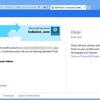 Manage and Remove Connected Services in PowerPoint 2013 for Windows
December 10, 2012
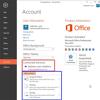 Add Services in PowerPoint 2013 for Windows
December 3, 2012
Filed Under:
O
Tagged as: Microsoft Office, OneDrive, PowerPoint Tutorials
Comments Off on OneDrive

Jeremey Donovan is Group Vice President of Marketing at Gartner Inc., the world’s leading information technology research and advisory company with $1.6 billion in annual revenue. During his career, Jeremey has led successful teams focused on market research, new product development, marketing, acquisitions, and product management. He is a three-time TEDx organizer, a TEDx speaker, a coach for many TED and TEDx speakers, and long-time member of Toastmasters International. His books include What Great Looks Like and How To Deliver A TED Talk: Secrets Of The World’s Most Inspiring Presentations.
Here’s a list of links on Indezine.com where he has been featured:
 Strategic Storytelling: Conversation with Jeremey Donovan
May 4, 2015
April 23, 2014 — Speaker, Leader, Champion: Conversation with Jeremey Donovan
December 04, 2013 — How to Deliver a TED Talk: Conversation with Jeremey Donovan
Filed Under:
J
Tagged as: Personality
Comments Off on Jeremey Donovan
Microsoft and the Office logo are trademarks or registered trademarks of Microsoft Corporation in the United States and/or other countries.
