Monthly Archives: July 2021

Browse posts released in July 2021. See all archives.

See Also:
PowerPoint and Presenting Notes
PowerPoint and Presenting Glossary


Dynamic Reordering of Shapes in PowerPoint July 30th, 2021
Group, Nudge, and Reorder Shapes: Dynamic Reordering of Shapes in PowerPoint


John Rahmlow July 29th, 2021
John Rahmlow


Glenn Gibson July 27th, 2021
Glenn Gibson


Pooja Jaisingh July 23rd, 2021
Pooja Jaisingh


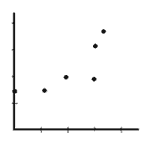
XY (Scatter) Chart Type in PowerPoint July 22nd, 2021
PowerPoint Chart Types: XY (Scatter) Charts in PowerPoint


Animation Guidelines July 21st, 2021
Basics of PowerPoint Animation: Animation Guidelines for PowerPoint


What is Animation? July 21st, 2021
Basics of PowerPoint Animation: What is Animation in PowerPoint?


PowerPoint Keyboard Shortcuts Not Working July 16th, 2021
Keyboard Shortcuts and Sequences: PowerPoint Keyboard Shortcuts Not Working


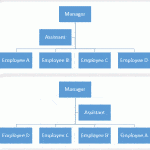
Change Layout of Organization Chart July 14th, 2021
Organization Charts: Change Layout of Organization Chart


Area Charts in PowerPoint July 14th, 2021
PowerPoint Chart Types: Area Charts in PowerPoint


Adding New Shapes to Existing Organization Charts July 14th, 2021
Organization Charts: Adding New Shapes to Existing Organization Charts


Insert an Organization Chart July 14th, 2021
Organization Charts: Insert an Organization Chart


Advanced SmartArt: Get More SmartArt Graphics in PowerPoint July 12th, 2021
Advanced SmartArt: Get More SmartArt Graphics


Drawing Multiple Shapes Quickly in PowerPoint July 9th, 2021
Duplicating Shapes, and Drawing Multiple Shapes: Drawing Multiple Shapes Quickly in PowerPoint


Kyle Murtagh July 7th, 2021
Kyle Murtagh


Add Office.com SmartArt Graphics July 6th, 2021
Advanced SmartArt: Add Office.com SmartArt Graphics


Animate SmartArt in PowerPoint July 6th, 2021
Animate Slide Objects: Animate SmartArt in PowerPoint


Format SmartArt Graphics Text Attributes July 2nd, 2021
Advanced SmartArt: Format Text Attributes of SmartArt Graphics in PowerPoint


Convert SmartArt Graphics into Shapes July 1st, 2021
Advanced SmartArt: Convert SmartArt Graphics to Shapes


Popular Posts

Toggle Visibility of Table Borders in PowerPoint Table Borders: Toggle Visibility of Table Borders

While PowerPoint allows you to create tables in various ways, from inserting them with a pre-decided number of rows and columns to something as intuitive as actually drawing your own table, most of the tables you create using either of these two methods will show borders between individual cells. These borders are great and they ...


Should Charts be Animated? Ten Tips for Cool PowerPoint Charts: PowerPoint Chart Tips 08: Should Charts be Animated?

Charts are something that are often shared between Excel and PowerPoint. While Excel gurus may look down at PowerPoint as far as charting is concerned, there indeed is one charting feature that is not doable as well in Excel, and that is animating charts. OK, an Excel guru somewhere may have said that it’s great ...


Duplicate, Rename, and Edit Slide Layouts in PowerPoint Slide Master and Slide Layouts: Duplicate, Rename, and Edit Slide Layouts in PowerPoint

All slides within PowerPoint are based on one of the available Slide Layouts. These layouts can be chosen when you add a new slide or you can even change the layout of your existing slides. Both these options are accessible from the Home tab of the Ribbon. While these available layouts seem to cover most types of slides, you may sometimes want ...


Microsoft and the Office logo are trademarks or registered trademarks of Microsoft Corporation in the United States and/or other countries.


Plagiarism will be detected by Copyscape

© 2000-2025, Geetesh Bajaj - All rights reserved.

since November 02, 2000