 January 31st, 2021
Bethany Auck

See Also:
PowerPoint and Presenting Notes
PowerPoint and Presenting Glossary
 Advanced SmartArt: Add Office.com SmartArt Graphics
SmartArt in PowerPoint has replaced the diagram options in previous versions of PowerPoint. SmartArt also allows you to replace bullet points with info-graphic content using text-within-shapes that are more logical to view and present. There are different SmartArt categories available. Additionally, you can also add an additional SmartArt category that shows content from Office.com. To ...
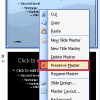 Slide Master and Slide Layouts: Preserving Slide Masters in PowerPoint
Have you ever applied a new Slide Master to existing slides in PowerPoint, and then found that the old Slide Master just disappeared! Poof, how did that happen? The typical answer to that question is your existing Slide Master was not "preserved", and since no slides used it anymore, PowerPoint just decided to clean it up ...
 John Medina
John Medina is a developmental molecular biologist and bestselling author known for translating complex brain science into practical insights. He is the author of Brain Rules and related titles that explore how neuroscience can improve learning, productivity, and workplace performance. Medina has taught at the University of Washington School of Medicine and served as a ...
Microsoft and the Office logo are trademarks or registered trademarks of Microsoft Corporation in the United States and/or other countries.