 January 31st, 2018
Jim Gordon

See Also:
PowerPoint and Presenting Notes
PowerPoint and Presenting Glossary
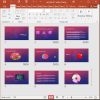 Views: Slide Sorter View in PowerPoint
Most of the time, you may work on a single slide in your PowerPoint presentation, but there are times when you want to copy, duplicate, reorder, or even delete a bunch of slides. It's in scenarios like these that you will encounter PowerPoint's Slide Sorter view. Although Slide Sorter view does not let you edit ...
 David Tang
David Tang is the founder of Flevy, a marketplace for premium business documents. Prior to Flevy, David worked as a management consultant for 8 years. His consulting experience spans corporate strategy, marketing, operations, and change management -- both domestic and international (EMEA + APAC). David graduated from Cornell University with a Bachelor's and Master's in ...
 Themes Basics: Missing Themes in PowerPoint
When you bring up the Themes gallery within PowerPoint, do you find that several Themes are missing? Alternatively, do you find that your friends and colleagues have more Themes than you do? Whatever be the reason for your missing Themes, it is possible to get them back. To learn more, choose your version of PowerPoint ...
Microsoft and the Office logo are trademarks or registered trademarks of Microsoft Corporation in the United States and/or other countries.