Tag: PowerPoint Tutorials

Presentations Glossary in alphabetical order:
A | B | C | D | E | F | G | H | I | J | K | L | M | N | O | P | Q | R | S | T | U | V | W | X | Y | Z

Browse posts tagged as "PowerPoint Tutorials"

See Also:
PowerPoint and Presenting Notes
PowerPoint and Presenting Glossary

Build your skill with the help of incredible instructors—courses just $10 for Udemy Sale. Last Day!


Exporting Word Handouts in PowerPoint Prepare for Sharing: Exporting Word Handouts in PowerPoint
April 16th, 2018


Creating Curved Shapes in PowerPoint Drawing Common Shapes: Creating Curved Shapes in PowerPoint
April 15th, 2018


Drawing Scribble Lines in PowerPoint Drawing Lines: Drawing Scribble Lines in PowerPoint
April 15th, 2018


Drawing Freeform Lines in PowerPoint Drawing Lines: Drawing Freeform Lines in PowerPoint
April 15th, 2018


Drawing Curved Lines in PowerPoint Drawing Lines: Drawing Curved Lines in PowerPoint
April 15th, 2018


Change Background Styles for Slide Layouts Slide Master and Slide Layouts: Change Background Styles for Slide Layouts
April 12th, 2018


Position Previews for Motion Path Animations Motion Path Animations: Position Previews for Motion Path Animations
April 11th, 2018


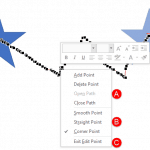
Edit Points in Motion Paths of Animations in PowerPoint Motion Path Animations: Edit Points in Motion Paths of Animations in PowerPoint
April 11th, 2018


Package a Presentation to a CD or Folder Share Options: Package a Presentation to a CD or Folder
April 11th, 2018


Lock and Unlock Paths for Motion Path Animations in PowerPoint Motion Path Animations: Lock and Unlock Paths for Motion Path Animations in PowerPoint
April 9th, 2018


Slide Layouts within Slide Master View Slide Master and Slide Layouts: Slide Layouts Within Slide Master View in PowerPoint
April 9th, 2018


Working with Guides in PowerPoint Working with Slides: Working with Guides in PowerPoint
April 4th, 2018


Adding More Guides in PowerPoint Working with Slides: Adding More Guides in PowerPoint
April 3rd, 2018


Reversing Paths of Motion Path Animations in PowerPoint Motion Path Animations: Reversing Paths of Motion Path Animations in PowerPoint
April 3rd, 2018


Open and Closed Motion Paths in PowerPoint Motion Path Animations: Open and Closed Motion Paths in PowerPoint
April 2nd, 2018


Duplicate, Rename, and Edit Slide Layouts in PowerPoint Slide Master and Slide Layouts: Duplicate, Rename, and Edit Slide Layouts in PowerPoint
March 31st, 2018


Reset Slides in PowerPoint Working with Slides: Reset Slides in PowerPoint
March 31st, 2018


Change Background Styles in the Slide Master in PowerPoint Slide Master and Slide Layouts: Change Background Styles in the Slide Master in PowerPoint
March 29th, 2018


Sign Out and Switch Accounts in PowerPoint File Types, File Menu, and Backstage View: Sign and Switch Accounts in PowerPoint
March 27th, 2018


Drawing Custom Paths for Motion Path Animations in PowerPoint Motion Path Animations: Drawing Custom Paths for Motion Path Animations in PowerPoint
March 27th, 2018


Getting Started with Motion Path Animations in PowerPoint Motion Path Animations: Getting Started with Motion Path Animations in PowerPoint
March 23rd, 2018


Account Option in Backstage View in PowerPoint File Types, File Menu, and Backstage View: Account Tab of Backstage View in PowerPoint
March 21st, 2018


Export Option in Backstage View in PowerPoint File Types, File Menu, and Backstage View: Export Tab in Backstage View in PowerPoint
March 20th, 2018


Motion Path Animations in PowerPoint Motion Path Animations: Motion Path Animations in PowerPoint
March 19th, 2018


Reorder Animations in PowerPoint Advanced Animation Concepts: Reorder Animations in PowerPoint
March 19th, 2018


Page 1 Page 23 Page 24 Page 25 Page 26 Page 27 Page 36


Microsoft and the Office logo are trademarks or registered trademarks of Microsoft Corporation in the United States and/or other countries.

Plagiarism will be detected by Copyscape

© 2000-2025, Geetesh Bajaj - All rights reserved.

since November 02, 2000