
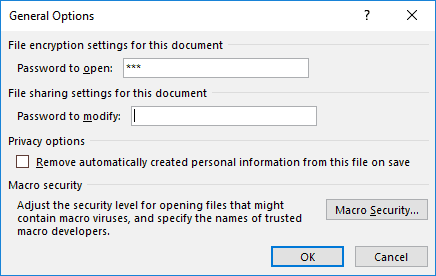
There are various reasons why you would want to encrypt your PowerPoint file with a password. There are two password levels you can implement within a PowerPoint file: a password to open and a password to edit. However, even if you add a password to your presentation, there may come a time when you want to remove it. Or, you may want to change the password.
To learn more, choose your version of PowerPoint. If we do not have a tutorial for your version of PowerPoint, explore the version closest to the one you use.
Microsoft Windows
Remove and Change Passwords in PowerPoint 2016
Remove and Change Passwords in PowerPoint 2013
Remove and Change Passwords in PowerPoint 2010
Tutorial Code: 16 02 04
Previous: 16 02 03 Encrypt with Password Option in PowerPoint
Next: 16 03 01 AutoRecover and AutoSave Options in PowerPoint