
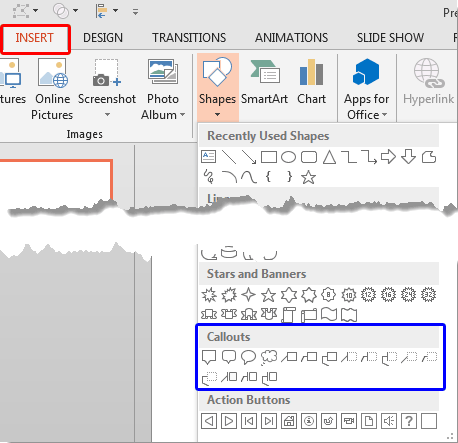
Generally, callout shapes are connected to another figure or visual, and these shapes contain some text. Callouts are not just any shape. Most of the time, callouts also have an attached line, arrow, or another pointer style that identifies it with a certain figure or visual. So in simple terms, callouts are those extra shapes with text that add value to other visuals. On their own, you’ll hardly find callouts used anywhere.
To learn more, choose your version of PowerPoint. If we do not have a tutorial for your version of PowerPoint, explore the version closest to the one you use.
Microsoft Windows
Callout Shapes in PowerPoint 2013
Apple Mac
Callout Shapes in PowerPoint 2011
Tutorial Code: 06 11 01
Previous: 06 10 11 Create Jigsaw Shapes with Merge Shapes Commands in PowerPoint
Next: 06 11 02 Attributing and Positioning Callouts in PowerPoint