
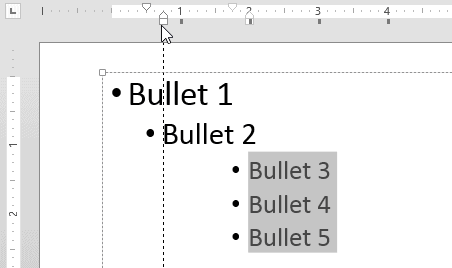
You have already explored how you can use the First Line Indent Marker and the Hanging Indent Marker to tweak bulleted paragraphs in PowerPoint. By tweaking, we mean adjusting the spacing before and after the bullet character.
To learn more, choose your version of PowerPoint. If we do not have a tutorial for your version of PowerPoint, explore the version closest to the one you use.
Microsoft Windows
Tweak Bulleted Paragraphs With Left Indent Marker in PowerPoint 2013
Tweak Bulleted Paragraphs With Left Indent Marker in PowerPoint 2010
Apple Mac
Tweak Bulleted Paragraphs With Left Indent Marker in PowerPoint 2011
Tutorial Code: 05 04 04
Previous: 05 04 03 Tweak Bulleted Lists With Hanging Indent Marker in PowerPoint
Next: 05 04 05 Set Text Indentation Using Numerical Values in PowerPoint