
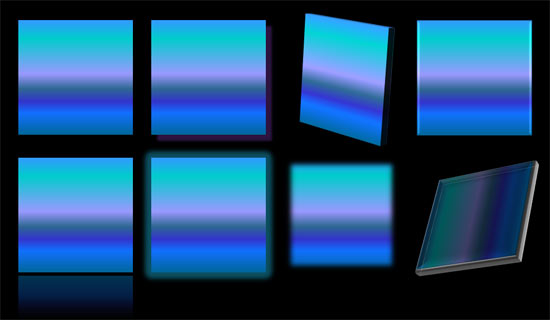
So what are the effects in PowerPoint? Effects are different than fills and outlines. With the plethora of effects available in PowerPoint, you can make a Shape stand apart with a drop shadow. Other effects allow you to create convincing reflections, spreading glows, 3D bevel effects, and even soft edges. Even better, all these effects are not destructible and can be turned on and off at your will.
To learn more, choose your version of PowerPoint. If we do not have a tutorial for your version of PowerPoint, explore the version closest to the one you use.
Microsoft Windows
Applying Effects for Shapes in PowerPoint 2016
Applying Effects for Shapes in PowerPoint 2013
Applying Effects for Shapes in PowerPoint 2010
Applying Effects for Shapes in PowerPoint 2007
Apple Mac
Applying Effects for Shapes in PowerPoint 2011
Tutorial Code: 08 03 01
Previous: 08 02 08 Transparency for Shape Lines in PowerPoint
Next: 08 03 02 Apply Preset Effects to Shapes in PowerPoint