
This is the print version of this page. All content is copyright Indezine.com 2000-2026.
Definitions and resources for terms and techniques used in the world of presentations
See Also:
PowerPoint and Presenting Notes
PowerPoint and Presenting Glossary
Presentations Glossary in alphabetical order:
A |
B |
C |
D |
E |
F |
G |
H |
I |
J |
K |
L |
M |
N |
O |
P |
Q |
R |
S |
T |
U |
V |
W |
X |
Y |
Z
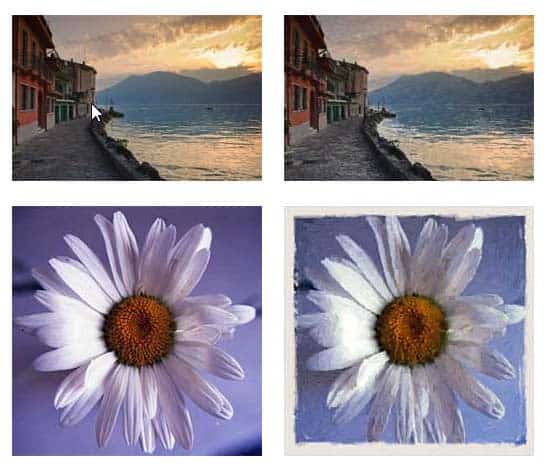
AKVIS is a company based in Russia that specializes in graphic programs.
Here are links to content on Indezine.com where AKVIS products have been featured:
 AKVIS SmartMask AI 13: Photoshop Plug-in Review
October 21, 2024
 AKVIS Coloriage AI 15.5: Photoshop Plug-in Review
August 19, 2024
 AKVIS Inspire AI 2: Photoshop Plug-in Review
October 9, 2023
 AKVIS Magnifier AI 11 Plug-in Review
October 06, 2021
 AKVIS ArtWork 9: Photoshop Plug-in Review
April 29, 2016
Comments Off on AKVIS
Here are some read-to-use and/or edit-and-use PowerPoint animated slides that you can use in your presentations:
 Moving Grunge Text for PowerPoint
August 8, 2023
 Countdown Timers for PowerPoint
November 29, 2018
 Animated Slides: Hearts Roll
January 21, 2012

Filed Under:
P
Tagged as: Animated Slides, PowerPoint, Presentation Bank, Sample Slides
Comments Off on Presentation Bank: Animated Slides
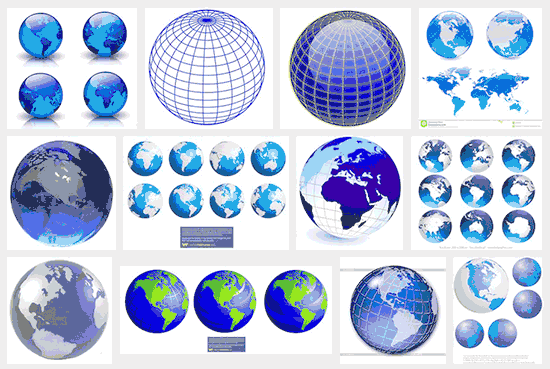
Globes again on your slides? And why not? A globe represents so much, and just adding a picture of a globe can scream “international!” Maybe, that’s the problem and the cliché? Would it be better to use something else as a visual rather than a globe? Now these questions have “maybe” written all over them, and you really cannot expect to get simple “yes” and “no” answers, as in “yes, you can still use a globe picture”, or “no, you cannot”. Even then, we can still discuss and find solutions for ourselves, not through direct answers, but through introspection.
To learn more, click the link below.
Tutorial Code: 09 13 03
Previous: 09 13 02 Clichés: Handshake Pictures
Next: 09 13 04 Clichés: Phone Operator Pictures
Filed Under:
V
Tagged as: 09-13, Pictures and Visuals, PowerPoint Tutorials, Visual Clichés
Comments Off on Visual Clichés: Clichés: Globe Pictures
One of the most clichéd pictures you will find within presentation slides, web sites, and even billboard banners is that of the handshake! There are all sorts of handshake pictures, from those shaking hands between opposite genders to those of handshakes between people of different races and ages. And yet they all seem clichéd! Why is that so?
To learn more, click the link below.
Visual Clichés: Handshake Pictures

Tutorial Code: 09 13 02
Previous: 09 13 01 Overcoming Clichés in Pictures
Next: 09 13 03 Clichés: Globe Pictures
Filed Under:
V
Tagged as: 09-13, Pictures and Visuals, PowerPoint Tutorials, Visual Clichés
Comments Off on Visual Clichés: Handshake Pictures
How many times have you seen the same globe visual used within a slide or even a picture of shaking hands? Or a picture of a phone operator, or even some people smiling while working in an office? And that’s precisely the problem. These pictures have been used so often, and they are so predictable, that the next time an audience sees those same pictures, they will be instantly bored. And that’s exactly what a cliché means. It means that these visual themes have been so over-used, that people are just tired of looking at them!
To learn more, click the link below.
Overcoming Clichés in Pictures

Tutorial Code: 09 13 01
Previous: 09 12 08 Bing Images Search by License
Next: 09 13 02 Visual Clichés: Handshake Pictures
Filed Under:
V
Tagged as: 09-13, Pictures and Visuals, PowerPoint Tutorials, Visual Clichés
Comments Off on Visual Clichés: Overcoming Clichés in Pictures
Microsoft and the Office logo are trademarks or registered trademarks of Microsoft Corporation in the United States and/or other countries.