
This is the print version of this page. All content is copyright Indezine.com 2000-2026.
Definitions and resources for terms and techniques used in the world of presentations
See Also:
PowerPoint and Presenting Notes
PowerPoint and Presenting Glossary
Presentations Glossary in alphabetical order:
A |
B |
C |
D |
E |
F |
G |
H |
I |
J |
K |
L |
M |
N |
O |
P |
Q |
R |
S |
T |
U |
V |
W |
X |
Y |
Z
Adding equations in your PowerPoint slide is a powerful way to present and communicate mathematical, scientific, and technical information to your audiences. Most people don’t add equations because it may appear like a complicated process or even unnecessary. However, putting in the effort to add an equation can make a big difference. And although some users may find this process cumbersome, it’s quite easy once you do so a few times.
To learn more, choose your version of PowerPoint. If we do not have a tutorial for your version of PowerPoint, explore the version closest to the one you use.
Insert Equations in PowerPoint

Tutorial Code: 05 05 09
Previous: 05 05 08 Insert Arrow Symbols in PowerPoint
Next: 05 06 01 Selecting and Changing Text in PowerPoint
Filed Under:
S
Tagged as: 05-05, PowerPoint Tutorials, Symbols, Text and Fonts
Comments Off on Symbols: Insert Equations in PowerPoint
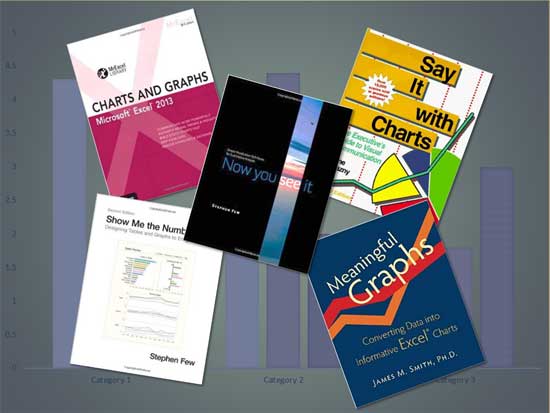
Most charting books fall into two categories. They are about charting design and charting techniques. Books within the first category look at charting, so as to how a particular chart will help people understand a difficult concept. They also look at design principles and best practices. Books within the second category look at the actual steps and techniques you need to explore to create those charts. There are a few books in this category that look at how charts can be created within Microsoft Excel, and almost no book is available similarly for PowerPoint, but that’s OK since Excel powers the charting engine within PowerPoint as well.
To learn more, click a link from the tutorials listed below.
PowerPoint Chart Tips 10: Ask Help, Read Books
Tutorial Code: 10 15 11
Previous: 10 15 10 PowerPoint Chart Tips 09: Practice Often, or Hire a Professional
Next: 11 01 01 Inserting SmartArt in PowerPoint
Filed Under:
T
Tagged as: 10-15, Charts and Graphs, PowerPoint Tutorials, Ten Tips for Cool PowerPoint Charts
Comments Off on Ten Tips for Cool PowerPoint Charts: PowerPoint Chart Tips 10: Ask Help, Read Books
It’s always been the norm that you will enjoy the work that you are passionate about, and chart designing is no exception. And if you do not have the time to learn chart design, that’s OK too. There are many professional slide designers who can create awesome charts for you. It’s a great idea to hire someone professional to design your charts, there will always be someone who can do it a little differently, and that “difference” may make a “big difference”!
To learn more, click a link from the tutorials listed below.
PowerPoint Chart Tips 09: Practice Often, or Hire a Professional

Tutorial Code: 10 15 10
Previous: 10 15 09 PowerPoint Chart Tips 08: Should Charts be Animated?
Next: 10 15 11 PowerPoint Chart Tips 10: Ask Help, Read Books
Filed Under:
T
Tagged as: 10-15, Charts and Graphs, PowerPoint Tutorials, Ten Tips for Cool PowerPoint Charts
Comments Off on Ten Tips for Cool PowerPoint Charts: PowerPoint Chart Tips 09: Practice Often, or Hire a Professional
Typing a space seems simple enough – just press the spacebar on your keyboard. However, what many people don’t realize is that this action only adds a regular breaking space. Occasionally, you may require a specific type of spacing within a sentence. This could be to prevent words from being split across two separate lines. In such cases, it’s important to use appropriate spacing techniques that ensure the text stays legible and easy to understand. One effective way of achieving this is by using a nonbreaking space.
To learn more, choose your version of PowerPoint. If we do not have a tutorial for your version of PowerPoint, explore the version closest to the one you use.
Insert a Nonbreaking Space in PowerPoint

Tutorial Code: 05 05 07
Previous: 05 05 06 Insert a Nonbreaking Dash in PowerPoint
Next: 05 05 08 Insert Arrow Symbols in PowerPoint
Filed Under:
S
Tagged as: 05-05, PowerPoint Tutorials, Symbols, Text and Fonts
Comments Off on Symbols: Insert a Nonbreaking Space in PowerPoint
Charts are something that are often shared between Excel and PowerPoint. While Excel gurus may look down at PowerPoint as far as charting is concerned, there indeed is one charting feature that is not doable as well in Excel, and that is animating charts. OK, an Excel guru somewhere may have said that it’s great that you cannot animate charts in Excel, after all many PowerPoint users create a mess with animation anyway!
To learn more, click a link from the tutorials listed below.
PowerPoint Chart Tips 08: Should Charts be Animated?
Tutorial Code: 10 15 09
Previous: 10 15 08 PowerPoint Chart Tips 07: Stay Away From 3D Charts
Next: 10 15 10 PowerPoint Chart Tips 09: Practice Often, or Hire a Professional
Filed Under:
T
Tagged as: 10-15, Charts and Graphs, PowerPoint Tutorials, Ten Tips for Cool PowerPoint Charts
Comments Off on Ten Tips for Cool PowerPoint Charts: PowerPoint Chart Tips 08: Should Charts be Animated?
Microsoft and the Office logo are trademarks or registered trademarks of Microsoft Corporation in the United States and/or other countries.
