
This is the print version of this page. All content is copyright Indezine.com 2000-2026.
Definitions and resources for terms and techniques used in the world of presentations
See Also:
PowerPoint and Presenting Notes
PowerPoint and Presenting Glossary
Presentations Glossary in alphabetical order:
A |
B |
C |
D |
E |
F |
G |
H |
I |
J |
K |
L |
M |
N |
O |
P |
Q |
R |
S |
T |
U |
V |
W |
X |
Y |
Z
Working with pictures in PowerPoint can be so much fun and fulfilling at the same time. One of the coolest options is to recolor the hue of your entire picture so that it looks almost like a duotone picture. This option also allows you to saturate color values, change the overall color tone, and do more.
Filed Under:
P
Tagged as: 09-01, Pictures and Visuals, Pictures Basics and Adjustments, PowerPoint Tutorials
Comments Off on Pictures Basics and Adjustments: Changing Color of Pictures in PowerPoint
A picture needs to be corrected when it is too dark or too bright, and this can happen if the lighting was not proper when you clicked the original picture with your camera. Additionally, you may also want to make some tonal changes to a picture so that it stands apart. In the following tutorials you will learn how to make corrections to inserted pictures in terms of their brightness, sharpness, softness, and contrast values, all from within PowerPoint without having to use an external program!
To learn more, choose your version of PowerPoint. If we do not have a tutorial for your version of PowerPoint, explore the version closest to the one you use.
Picture Corrections in PowerPoint 2016
Picture Corrections in PowerPoint 2013
Picture Corrections in PowerPoint 2010
Picture Corrections in PowerPoint 2011
Tutorial Code: 09 01 15
Previous: 09 01 14 Adjust Picture Options in PowerPoint
Next: 09 01 16 Changing Color of Pictures in PowerPoint
Filed Under:
P
Tagged as: 09-01, Pictures and Visuals, Pictures Basics and Adjustments, PowerPoint Tutorials
Comments Off on Pictures Basics and Adjustments: Picture Corrections in PowerPoint
Adding a busy, multi-colored picture background to your slides is one of the worst things you can do to your PowerPoint presentation. People do so all the time, and in the process, they compromise the subtlety and contrast of any content on their slides.
To learn more, choose your version of PowerPoint. If we do not have a tutorial for your version of PowerPoint, explore the version closest to the one you use.
Recolor Picture Backgrounds in PowerPoint 2016
Recolor Picture Backgrounds in PowerPoint 2013
Recolor Picture Backgrounds in PowerPoint 2007 and 2010
Recolor Picture Backgrounds in PowerPoint 2011
Tutorial Code: 09 01 13
Previous: 09 01 12 Inserting Screenshots in PowerPoint
Next: 09 01 14 Adjust Picture Options in PowerPoint
Filed Under:
P
Tagged as: 09-01, Pictures and Visuals, Pictures Basics and Adjustments, PowerPoint Tutorials
Comments Off on Pictures Basics and Adjustments: Recolor Picture Backgrounds in PowerPoint
When you insert a picture on your PowerPoint slide, you may want to make some changes to the picture. For example, you may want to change its size, color, adjust its saturation, or apply some styles to it.
To learn more, choose your version of PowerPoint. If we do not have a tutorial for your version of PowerPoint, explore the version closest to the one you use.
Adjust Picture Options in PowerPoint 2016
Adjust Picture Options in PowerPoint 2013
Adjust Picture Options in PowerPoint 2010
Adjust Picture Options in PowerPoint 2011
Tutorial Code: 09 01 14
Previous: 09 01 13 Recolor Picture Backgrounds in PowerPoint
Next: 09 01 15 Picture Corrections in PowerPoint
Filed Under:
P
Tagged as: 09-01, Pictures and Visuals, Pictures Basics and Adjustments, PowerPoint Tutorials
Comments Off on Pictures Basics and Adjustments: Adjust Picture Options in PowerPoint
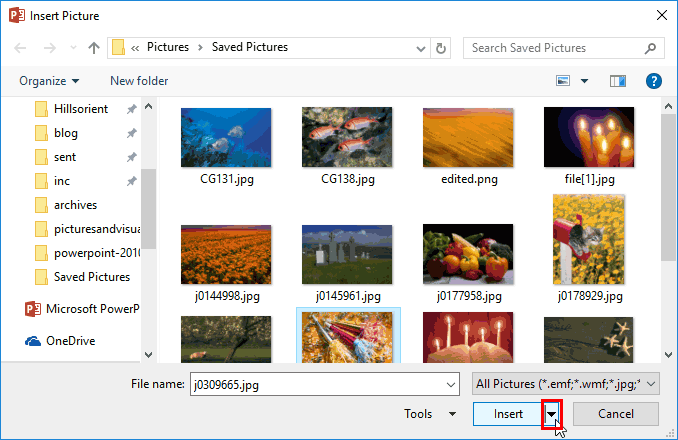
Inserting a picture on a PowerPoint slide is a frequent and commonplace task, and to you, this may look like a simple activity. But this simple task includes few options. You know that pictures located in any of your folders can be inserted on a slide. However, do you know that you can link to a picture, rather than inserting it as part of the presentation itself?
To learn more, choose your version of PowerPoint. If we do not have a tutorial for your version of PowerPoint, explore the version closest to the one you use.
Insert or Link Pictures in PowerPoint 2016
Insert or Link Pictures in PowerPoint 2013
Insert or Link Pictures in PowerPoint 2010
Insert or Link Pictures in PowerPoint 2016
Insert or Link Pictures in PowerPoint 2011
Tutorial Code: 09 01 02
Previous: 09 01 01 Insert Pictures in PowerPoint
Next: 09 01 03 Insert Online Pictures in PowerPoint
Filed Under:
P
Tagged as: 09-01, Pictures and Visuals, Pictures Basics and Adjustments, PowerPoint Tutorials
Comments Off on Pictures Basics and Adjustments: Insert or Link Pictures in PowerPoint
Microsoft and the Office logo are trademarks or registered trademarks of Microsoft Corporation in the United States and/or other countries.


