
This is the print version of this page. All content is copyright Indezine.com 2000-2026.
Definitions and resources for terms and techniques used in the world of presentations
See Also:
PowerPoint and Presenting Notes
PowerPoint and Presenting Glossary
Presentations Glossary in alphabetical order:
A |
B |
C |
D |
E |
F |
G |
H |
I |
J |
K |
L |
M |
N |
O |
P |
Q |
R |
S |
T |
U |
V |
W |
X |
Y |
Z
The Presentation Summit, earlier known as PowerPoint Live is an annual conference that’s dedicated to PowerPoint and presentation skills. The conference is held during September or October each year in different locations in the United States. The host of the conference is Rick Altman.

Find stories about the Presentation Summit from these pages:
Partners – Presentation Summit
Blog Posts – Presentation Summit
Filed Under:
P
Tagged as: Conference, Presentation Summit
Comments Off on Presentation Summit
NXPowerLite radically reduces the size of PowerPoint presentations. You drag your presentation into an NXPowerLite window, and you can see immediate results.
Here is a list of content on Indezine sites, where NXPowerLite has been featured:
 NXPowerLite Desktop 10: Conversation with Mike Power
July 13, 2023
NXPowerLite Desktop 9: Conversation with Mike Power
December 2, 2020
Neuxpower NXPowerLite Desktop 8 for Mac: Conversation with Mike Power
September 26, 2018
 Neuxpower NXPowerLite Desktop 8: Conversation with Alan Gurney
March 12, 2018
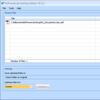 Neuxpower NXPowerLite 5
February 17, 2011
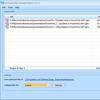 Neuxpower NXPowerLite 4
May 13, 2009
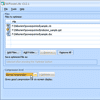 Neuxpower NXPowerLite 3
March 30, 2007
 NXPowerLite: Conversation with Michael Power
July 1, 2006
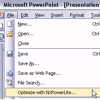 Neuxpower Launches New Version of NXPowerLite
June 29, 2006
 Neuxpower NXPowerLite 2
November 15, 2005
 NXPowerLite is PowerPoint 2003 Compatible
January 12, 2004
NXPowerLite: An Interview with Michael Power
September 29, 2003
 Neuxpower NXPowerLite
August 13, 2003

Filed Under:
N
Tagged as: Add-in, Neuxpower, NXPowerLite, PowerPoint
Comments Off on NXPowerLite
Do you want your pictures to be contained within shapes that look like frames? Or maybe you want to use silhouette style placeholders for your pictures? Yes, this is possible! In fact, these custom picture placeholders were created within PowerPoint, and we used nothing that’s not part of the program.
Filed Under:
S
Tagged as: PowerPoint Tutorials, Slide Master and Slide Layouts, Themes Templates Masters and Layouts
Comments Off on Slide Master and Slide Layouts: Create Custom Shaped Picture Placeholders in PowerPoint
When you bring up the Themes gallery within PowerPoint, do you find that several Themes are missing? Alternatively, do you find that your friends and colleagues have more Themes than you do? Whatever be the reason for your missing Themes, it is possible to get them back.
Filed Under:
T
Tagged as: 04-01, PowerPoint Tutorials, Theme Basics, Themes Templates Masters and Layouts
Comments Off on Themes Basics: Missing Themes in PowerPoint
Slide Layouts are a very useful feature because they let you use a preset arrangement of placeholders repeatedly, resulting in consistent looking slides. And yes, you can also create your own custom Slide Layouts. While very few users create their own custom Slide Layouts, even fewer will create a custom Slide Layout for pictures! That’s regrettable since Picture Slide Layouts can make your slides look so unique.
Filed Under:
S
Tagged as: 04-08, PowerPoint Tutorials, Slide Master and Slide Layouts, Themes Templates Masters and Layouts
Comments Off on Slide Master and Slide Layouts: Working With Picture Slide Layouts in PowerPoint
Microsoft and the Office logo are trademarks or registered trademarks of Microsoft Corporation in the United States and/or other countries.