May 28th, 2024
Peter Zvirinsky

See Also:
PowerPoint and Presenting Notes
PowerPoint and Presenting Glossary
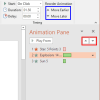 Advanced Animation Concepts: Reorder Animations in PowerPoint
By default, animation effects are numbered in the order in which they are applied to slide objects. You might need to reorder your animations mainly because you may have more than one animated object on a slide, and re-sequencing of animations as they happen in relation to each other may provide a better result. Or ...
 Views: Normal View (Editing View) in PowerPoint
The most often used view (and this is the default view in PowerPoint as well) is Normal view that displays one slide at a time in the Slide Area. Normal view is great for editing individual slides, and shows PowerPoint's typical tri-pane interface that includes the Slides Pane, the Slide Area, and the Notes Pane ...
 Art Holden
Art Holden has been in the animation and presentation industry since 1996. He helped start Animation Factory in 1997 and served as general manager of Animation Factory for thirteen years. He currently lives in Sioux Falls, South Dakota, USA and works with Presenter Media, a media content creating company. Here’s a list of links on ...
Microsoft and the Office logo are trademarks or registered trademarks of Microsoft Corporation in the United States and/or other countries.