Monthly Archives: May 2019

Browse posts released in May 2019. See all archives.

See Also:
PowerPoint and Presenting Notes
PowerPoint and Presenting Glossary


Add and Remove Toolbars in PowerPoint May 31st, 2019
Customize Interface: Add and Remove Toolbars in PowerPoint


Hide and Show Toolbars in PowerPoint May 30th, 2019
Customize Interface: Hide and Show Toolbars in PowerPoint


Customizing Toolbars in PowerPoint May 29th, 2019
Customize Interface: Customizing Toolbars in PowerPoint


Developer Tab of the Ribbon in PowerPoint May 28th, 2019
Customize Interface: Developer Tab of the Ribbon in PowerPoint


Insert a Check Mark or Tick Mark in PowerPoint May 24th, 2019
Symbols: Insert a Check Mark or Tick Mark in PowerPoint


Troubleshooting Menu Activation in PowerPoint May 23rd, 2019
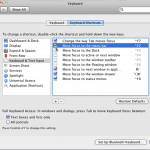
Keyboard Shortcuts and Sequences: Troubleshooting Menu Activation in PowerPoint


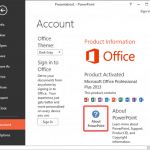
Running for the First Time May 20th, 2019
Buying and Installing PowerPoint: Running for the First Time


Upload Presentations in PowerPoint Online May 16th, 2019
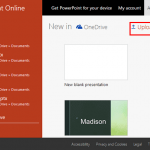
Help and Online Services: Upload Presentations in PowerPoint


Get More Templates and Themes in PowerPoint May 15th, 2019
Help and Online Services: Get More Templates and Themes in PowerPoint


Determine if SP1 is Installed within PowerPoint May 13th, 2019
Repair, Install, and Update PowerPoint and Office: Determine if SP1 is Installed within PowerPoint


Update Office 2013 to Service Pack 1 May 10th, 2019
Repair, Install, and Update PowerPoint and Office: Update Office 2013 to Service Pack 1


Install Office and PowerPoint May 9th, 2019
Repair, Install, and Update PowerPoint and Office: Install Office and PowerPoint


Even More Outline Pane Options in PowerPoint May 7th, 2019
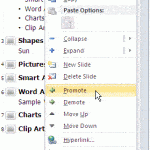
Text and Outlines: Even More Outline Pane Options in PowerPoint


More Outline Pane Options in PowerPoint May 6th, 2019
Text and Outlines: More Outline Pane Options in PowerPoint


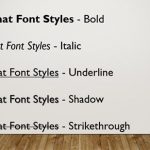
Format Font Attributes (Styles) in PowerPoint 2016 for Windows May 2nd, 2019
Fonts: Format Font Attributes (Styles) in PowerPoint


Popular Posts

Add Office.com SmartArt Graphics Advanced SmartArt: Add Office.com SmartArt Graphics

SmartArt in PowerPoint has replaced the diagram options in previous versions of PowerPoint. SmartArt also allows you to replace bullet points with info-graphic content using text-within-shapes that are more logical to view and present. There are different SmartArt categories available. Additionally, you can also add an additional SmartArt category that shows content from Office.com. To ...


Theme Builder Theme Builder: Installing and Using Theme Builder in PowerPoint

Theme Builder is an application created by Microsoft to create and edit themes. The full name of the application is Microsoft Theme Builder, but for reasons of simplicity, we'll call it Theme Builder throughout this series of pages. As of now, Theme Builder is a Windows only application, but any Themes edited and created within ...


Vary Colors by Point Option for Charts in PowerPoint Advanced Chart Techniques: Vary Colors by Point Option for Charts in PowerPoint

When a column chart in PowerPoint contains only one data series and several categories, then, by default the individual chart columns may use the same fill color. If your chart uses the same colored series in all of the categories, it can make your chart look dull. To learn more, choose your version of PowerPoint ...


Microsoft and the Office logo are trademarks or registered trademarks of Microsoft Corporation in the United States and/or other countries.

Plagiarism will be detected by Copyscape

© 2000-2026, Geetesh Bajaj - All rights reserved.

since November 02, 2000