Monthly Archives: December 2018

Browse posts released in December 2018. See all archives.

See Also:
PowerPoint and Presenting Notes
PowerPoint and Presenting Glossary


Creating Semi-Circles in PowerPoint December 31st, 2018
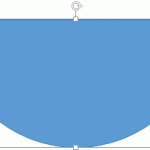
Circles and Squares: Creating Semi-Circle Shapes in PowerPoint


Creating Slide Backgrounds in Photoshop for PowerPoint December 28th, 2018
Other Tutorials: Creating Slide Backgrounds in Photoshop for PowerPoint


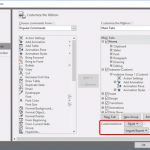
Reset, Export, and Import Ribbon Customizations in PowerPoint December 28th, 2018
Working with QAT and Ribbons: Reset, Export, and Import Ribbon Customizations in PowerPoint


December 27th, 2018
Working with QAT and Ribbons: Change Ribbon Labels from CAPs to Title Case in PowerPoint


Customize Clip Art Categories within Media Browser in PowerPoint December 17th, 2018
Interface Overview: Customize Clip Art Categories within Media Browser in PowerPoint


Add Your Folder Within the Media Browser in PowerPoint December 14th, 2018
Interface Overview: Add Your Folder Within the Media Browser in PowerPoint


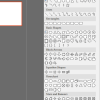
Media Browser - Shapes Tab in PowerPoint December 13th, 2018
Interface Overview: Media Browser – Shapes Tab in PowerPoint


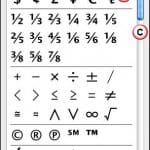
Media Browser - Symbols Tab in PowerPoint December 12th, 2018
Interface Overview: Media Browser – Symbols Tab in PowerPoint


Media Browser - Clip Art Tab in PowerPoint December 11th, 2018
Interface Overview: Media Browser – Clip Art Tab in PowerPoint


Rotate Text 180° within Shapes in PowerPoint December 6th, 2018
Text in Shapes: Rotate Text 180° Within Shapes in PowerPoint


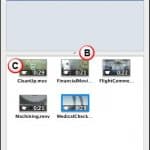
Media Browser - Movies Tab in PowerPoint December 6th, 2018
Interface Overview: Media Browser – Movies Tab in PowerPoint


Media Browser - Audio Tab in PowerPoint December 5th, 2018
Interface Overview: Media Browser – Audio Tab in PowerPoint


Cookie Cutter Shapes in PowerPoint December 4th, 2018
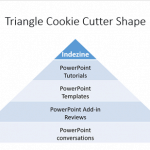
Exotic Shapes: Cookie Cutter Shapes in PowerPoint


Media Browser - Photos Tab in PowerPoint December 4th, 2018
Interface Overview: Media Browser – Photos Tab in PowerPoint


Media Browser in PowerPoint December 3rd, 2018
Interface Overview: Media Browser in PowerPoint


Popular Posts

Change Layout of Organization Chart Organization Charts: Change Layout of Organization Chart

Once you have inserted an organization chart (org chart) within PowerPoint, you might need to change its layout. The "layout" means how the subordinate levels in the hierarchy branch out from top to bottom. Probably you want all subordinates flushed to the left, hanging to the right, or distributed evenly across a horizontal plane. To ...


Jörg Hahn Jörg Hahn

Jörg Hahn aka Jay Green was Marketing Manager with a screen-capturing software publisher prior to launching his new company Convima. Now he successfully combines video production with online marketing. Hahn holds an MBA and speaks 5 languages fluently. Here’s a list of links on Indezine where he has been featured: Convima Product Videos: Conversation with ...


Reuse Slides in PowerPoint Working With Slides: Reuse Slides in PowerPoint

Reusing your existing slides can be a great help: first you need not recreate stuff you already have and secondly you are saving so much time that you can use more effectively to practice your presentation! Having said that, always start by creating an outline of your presentation. This is important because it gives you ...


Microsoft and the Office logo are trademarks or registered trademarks of Microsoft Corporation in the United States and/or other countries.

Plagiarism will be detected by Copyscape

© 2000-2026, Geetesh Bajaj - All rights reserved.

since November 02, 2000