 August 27th, 2016
Ryan Orcutt

See Also:
PowerPoint and Presenting Notes
PowerPoint and Presenting Glossary
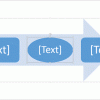 Advanced SmartArt: Change Shapes within a SmartArt Graphic in PowerPoint
The default look of SmartArt graphics works great, and you may not want to change a thing! Yet, it's good to know that you can change your SmartArt graphics to other layouts, change the color of SmartArt graphics, or apply a SmartArt Style to make your SmartArt graphic appear distinct and unique. You can also ...
 Art Holden
Art Holden has been in the animation and presentation industry since 1996. He helped start Animation Factory in 1997 and served as general manager of Animation Factory for thirteen years. He currently lives in Sioux Falls, South Dakota, USA and works with Presenter Media, a media content creating company. Here’s a list of links on ...
 Keith Tromer
Keith Tromer is the Founder and President of Corporate Imaging, Inc. since 1989. His strategic vision focuses on three fundamental aspects: generating the best creative content possible, fostering innovation, and utilizing the latest technologies. Here’s a list of links on Indezine.com where he has been featured: pptXTREME Add-ins for PowerPoint January 16, 2026 pptXTREME Add-ins ...
Microsoft and the Office logo are trademarks or registered trademarks of Microsoft Corporation in the United States and/or other countries.